Campaigns for WooCommerce

Campaigns for WooCommerce : Sell More, Even When You’re Out of Stock.

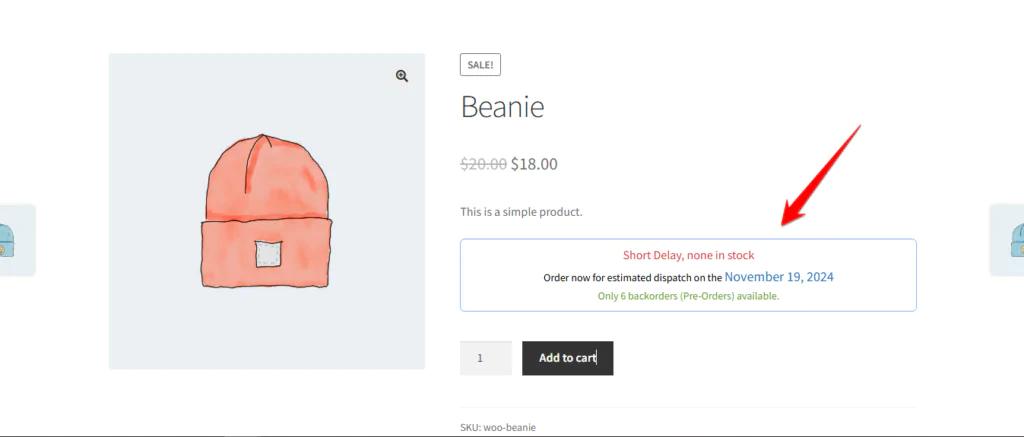
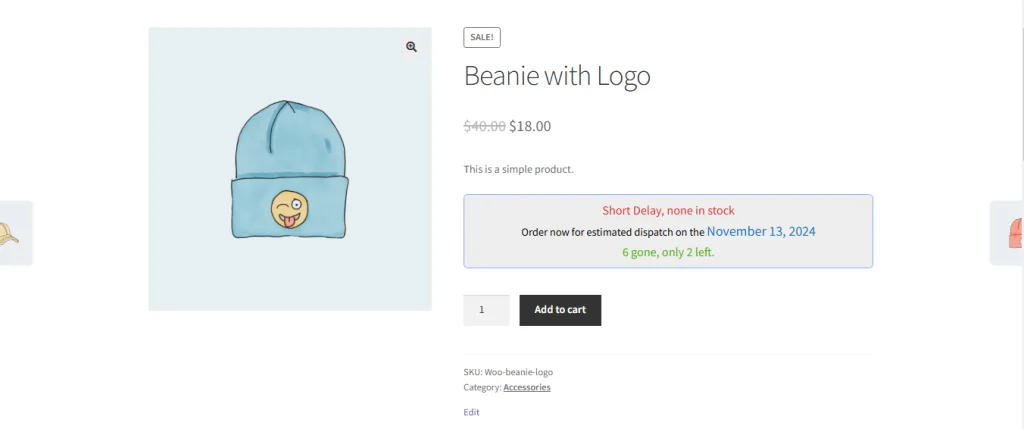
Backorders are not a workaround, they are a sales channel. Research on abandoned carts consistently finds that unclear delivery expectations are among the top reasons shoppers leave without buying, and an out-of-stock product page with no explanation is the most extreme version of that problem. Campaigns for WooCommerce replaces the dead end with a clear offer: the customer sees what they are buying, when it will ship, and how many units are still available. Built on native WooCommerce inventory handling, it works with your existing stock data rather than replacing it.
  • Why Store Owners Love It:
  • WooCommerce Backorders Plugin That Works
  • Sell Out-of-Stock Products: Enable backorders and pre-orders with clear dispatch timelines
  • Automated Backorder Notifications: Keep customers informed with dynamic, customizable messages.
  • Real-Time Dispatch Estimates: Show accurate shipping dates that update daily.
  • Backorder Campaign Templates: Create reusable backorder setups with custom styling, messages, estimated dispatch dates & cart notices. Save time + deliver a consistent experience store-wide.
  • Backorder Manager: View, filter, and bulk-edit product backorder settings. Apply Backorder Campaigns to multiple products at once. Modify dispatch logic, notifications, quantity limits, and sales messages on a per-product or category basis
  • WooCommerce Flash Sales & Countdown Timers
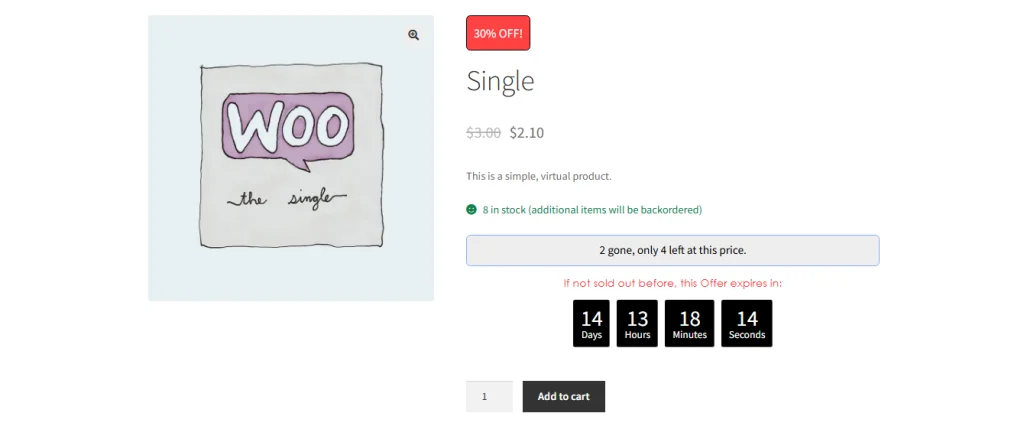
  • Create Urgency: Launch time-sensitive flash sales with countdown timers and limited quantities.
  • Low Stock Threshold Alerts: Trigger personalized “almost gone” notices to drive conversions.
  • Pre-Order Flash Sales: Combine scarcity and urgency to boost early sales.
  • Dynamic Sale Badges: Show eye-catching badges like “30% OFF” or “Limited Time Offer” on product images—automatically updated per variation
  • Bulk Flash Sale Manager: Launch urgency-driven sales across multiple products at once using one panel—no repetitive setup. Perfect for time-sensitive campaigns like Black Friday, launches, or clearance events
  • Custom Flash Sale Campaign Templates: Create once, apply across hundreds of products. Set styling, badge logic, countdown visuals, and urgency messaging.
  • Time Counter Styling Panel: Merchants can fully customize the countdown timer above “Add to Cart” — text, font, background, border — no coding.
  • WooCommerce Inventory Management Made Easy
  • Mixed Cart Messaging: Inform buyers when their cart includes both in-stock and backordered items.
  • Detailed Quantity Displays: Display in-stock and backorder quantities across product, cart, checkout, and email views.
  • Add custom notices for low stock thresholds
Campaigns for WooCommerce pre-order campaign management view
  • WooCommerce Automation Tools
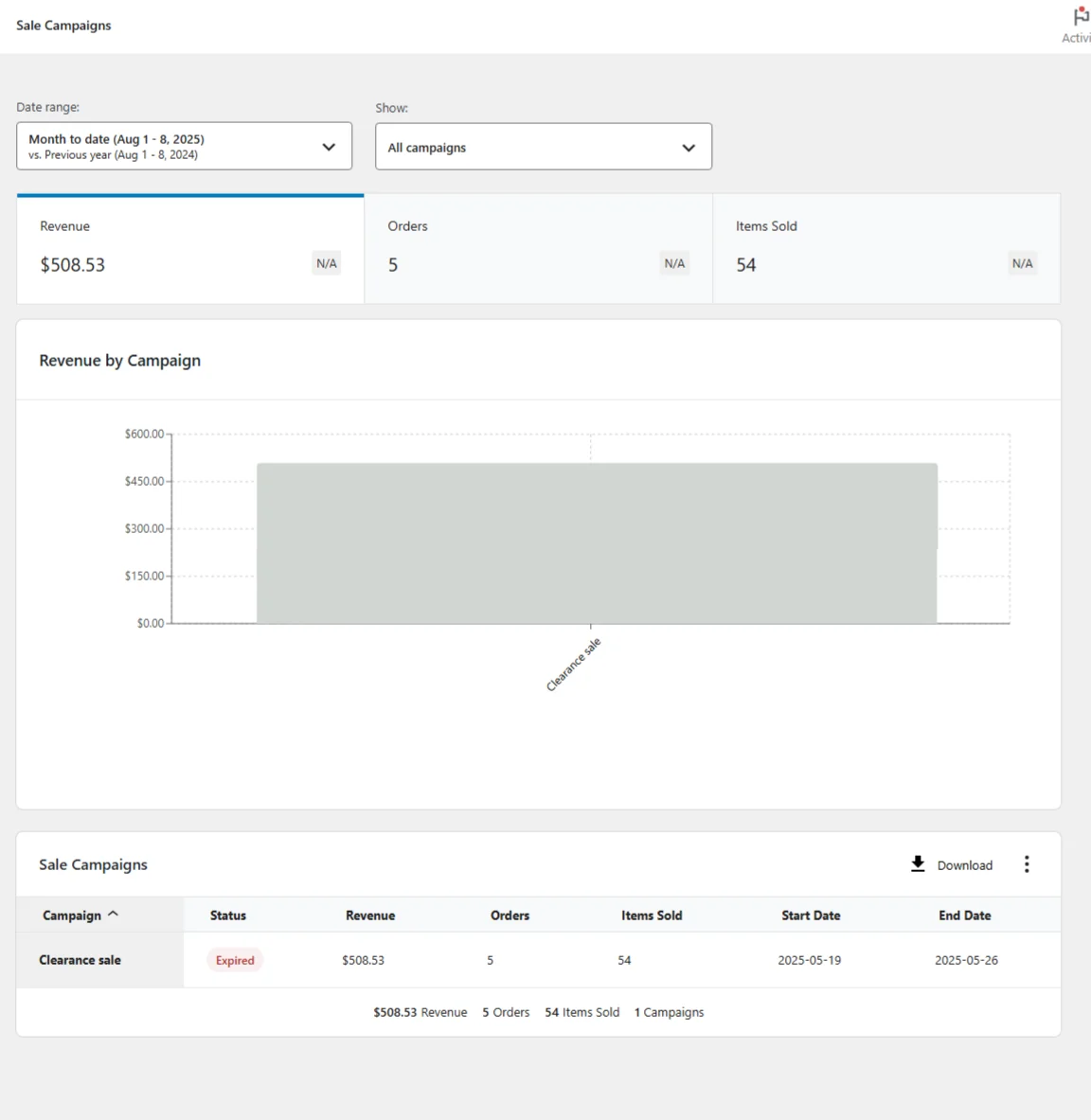
  • Daily Email Reports: Stay updated on backorder sales and due dates.
  • Bulk Editing & CSV Import/Export: Manage hundreds of products with ease.
  • Reusable Campaign Templates: Apply consistent settings across your store in seconds.
Campaigns for WooCommerce automated customer notification example
  • Customization u0026amp; Branding
  • Customize campaign slugs for SEO-friendly URLs
  • Style messages, fonts, colors, and badges to match your store’s look
  • WPML compatible and translation-ready for global reach
OutcomeImpact
More RevenueSell products regardless of stock status
Higher TrustKeep customers informed with transparency
Increased ConversionsBuild urgency with time-limited offers
Streamlined WorkflowAutomate reports and reduce manual work

Works alongside your existing store setup

Campaigns for WooCommerce handles urgency and availability. It fits naturally with the rest of your product page and catalogue tooling. If you sell variable products, Swatches for WooCommerce with Ajax Sorting lets shoppers see which variations are on backorder or on flash sale before they commit to a click, since sale badges update per variation. WooCommerce Quick View Ultimate surfaces your campaign messaging inside the quick view popup so countdown timers and stock notices reach shoppers browsing the category page. For B2B or high-value stock where a backorder needs a conversation rather than a checkout, WooCommerce Quotes and Orders gives customers a way to enquire instead. And when a flash sale drives a traffic spike, a3 Lazy Load keeps those product pages loading fast under the extra load.

  • Get Started Today!

Don’t let stock shortages and missed opportunities hold your store back. Unlock the full potential of your store with Campaigns for WooCommerce and watch your backorders, flash sales, and pre-orders drive more sales.

  • FAQs
How easy is it to install and set up the plugin?

The plugin is designed for quick and easy installation. You can have it up and running in minutes by following the Campaigns for WooCommerce setup guide.

Does the plugin work with all WooCommerce themes?

Yes, the plugin is fully compatible with all WooCommerce themes.

Can I customize the backorder and flash sale notifications?

Absolutely! All notifications can be tailored to match your brand’s voice and style.

Is there a trial period available?

No, but we offer a 30 day money back guarantee. If the plugin is not generating extra revenue for you within 30 days of purchase then you are covered by our 100% money back guarantee.

Documentation
Does it work with variable products?

Yes. Sale badges and stock messaging update per variation, so a shopper choosing between sizes or colours sees the correct availability, dispatch estimate and discount for the exact variation they have selected rather than a generic product-level message.

$240 $120 / year
* Price for first year
50% off SAVE $120

What’s included

  • 1-year extension updates
  • 1-year support
  • 30-day money-back guarantee

Version Details

Details and compatibility

Requires
WordPress 6.4 or higher
Compatible to
WordPress 6.7.2
Requires
WooCommerce 8.0 or higher
Compatible to
WooCommerce 9.7.0
First Release
2024/06/14
Translation ready
yes
100% WPML Compatible
yes

Documentation

Support