

WooCommerce Dynamic Product image Gallery brings your product pages and presentation alive. Beautifully with great flexibility.
WooCommerce Dynamic Gallery Pro Features
Just install and activate the gallery and it automatically adds the Dynamic gallery to every single product page on you site with these features:
- Upgraded and tested 100% Compatible with WooCommerce Version 2.0 and backwards.
- Gallery now supports show Variation images. When user selects an option on product page – that options image auto shows in the gallery.
- Fully Responsive or use as fixed pixel wide on any theme
- Gallery image manager greatly simplifies the management of product and variation images.
- Search Engine Friendly Images.
Show Options (Variations) Images in Gallery
WooCommerce Dynamic Gallery is already the most popular WooCommerce product image Gallery but it just went to a new level with the ability to use the Gallery to manage and show your WooCommerce product variation images like you never thought possible.
As the user selects options from the product page ‘Choose an Option’ Drop down the images you have assigned to that variation auto show in the Gallery. The graphic below shows you how that works or go straight to the Demo site and take a look – it’s stunning. GALLERY DEMO
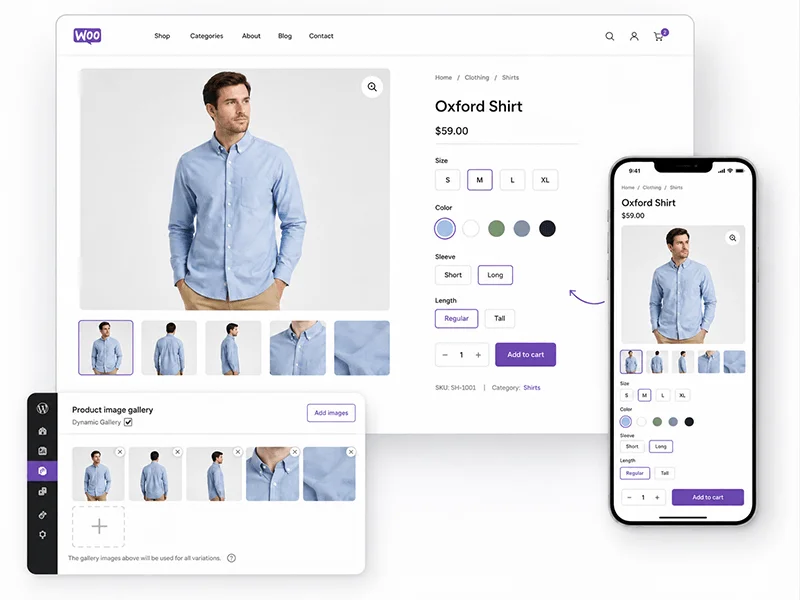
Image Legend
1. Gallery shows when the page loads – variations are set at Choose an option and the gallery loads the featured image first and shows all images in order.
2. User selects the Large option and all variation images for this product assigned to the large attribute show. The example you see on the demo there are 4 Colours – Black, Red, Green and Blue and large comes in Long Sleeve and Short Sleeve so the gallery will show all 4 colours in short sleeve and Long sleeve. A user can scroll through all the ‘Large’ T Shirt images.
3. Now the user refines their selection to ‘Large ‘ Green’ – there are only 2 images – ‘Large Green Short Sleeve’ and ‘Large Green Long Sleeve.
4. Finally the user Selects ‘Large Green Long Sleeve’ and sees their selection in the gallery.
The images change in a ‘blink of the eye’ and it is very engaging.
Responsive Gallery.
The Gallery works beautifully on traditional fixed pixel width and height themes, but by changing one setting on the admin panel it is transformed into a fabulous responsive image gallery. Even the image Zoom pop ups display beautifully in even the smallest phone screens.

The WooCommerce Dynamic gallery in iPhones and Androids
Deactivate / Activate Gallery on any Single Product Page.
When WooCommerce Dynamic Gallery is activated the Gallery is automatically added to every single product page. If you have products that only have a single product and you don’t want the gallery, then just click the check box on the Gallery Images manager on the single product page to deactivate the gallery for that product.

25 Individual Gallery Settings
WooCommerce Dynamic Gallery gives you 25 different settings to customize how the gallery looks and Works on your site. From the WooCommerce > Settings > Dynamic Gallery tab you have total control over:
All these features combine to give you what simply an outstanding WooCommerce Dynamic Product Image gallery. Checkout the plugins wiki docs and the live demo for more information.


Hello. I recently installed this product gallery. When it is active it shifts the columns of info for the product to the right and causes them to drop down below the image. It doesn’t seem to matter how larger or small I make the gallery. I am using the Shoppica theme with WooCommerce. Here us a link: http://goodboybrand.com/product/goodboy-logo-t-shirt/
I have purposly made the gallery small to show. the text that reads “Availability, SKU, etc.” is supposed to be up next to the images like this: http://shoppica-wordpress.com/products/boys/super-t-shirt/
If you can help me fix this, it would be much appreciated.
Thanks,
Rich
Hello. I am a paying customer. Am I not supposed to get better support? It’s been four days since I posted my issue.
Rich
Hi Richard,
Yes you are supposed to get better support than this and 99% of the time it is – sorry about that – 2 days where the weekend and we are snowed under – no excuse thought – I should have got to you sooner.
had a look at that theme from the front end, that bespoke theme is using other class for image container
#product_images
It should be using
.images
Its just a simple tweak of the style or html of that theme to show the dynamic gallery good
The theme author should really update his code because .images is standard that all WooCommerce images gallery plugins expect to find. If you know how to do that then please do so – if not please set me up a temp wp-admin access account and a temp ftp access account to that site and we’ll do it for you. Please use the contact us form to send through the wp-admin username and password and the ftp hostname, username and password. Thank you.
Sorry for being rude. That fixed it. Thanks!
Hi Richard,
That is great – thank you for letting me know. In case you have not noticed we have closed these forums to any new support requests – in future if you need help please post your support request to the new a3rev support forum. Cheers.
I have a question regarding this before I purchase – we are using Gravity Forms to handle variations, would this plugin integrate well with Gravity form options to allow for images?
Hello Aaron,
Not yet – we have to look at how that would work. It is on the plugins development roadmap – but cannot give a definite time frame.
I have a problem with uploading pictures to the gallery .. only shows the first, not the following ..
You can see this in the following link http://www.qumax.com.ar/qumaxv2/producto/puas-de-seguridad/
best regards
Hernan
I have SERIOUS PROBLEMS!
Two days ago I bought the plugin “WooCommerce Dinamic Gallery” and the install has conflicts with the slide of images that comes by default in the template.
I need to resolve this because I have not even 2% satisfaction.
Hello Erick
Can you post a link to a product page that has the gallery activated on it so I can see the problem from the front end. Thank you
http://www.jeansteamstores.com/product/camiseta-55dsl-the-beast/
Hi Erick,
I can see 2 product Galleries – ours which seems to be working OK and a Zoom slider – I am amazed that either is working. have never seen that before. How can 2 javascript sliders work on the same product page – showing images from the same gallery? That is amazing.
What is also amazing is that i don’t see any Javascript errors. Can you tell me where the conflict is? I just cannot believe what I am seeing on that page you linked to – it should not work at all.
Strange.
Also, before installing your plugin, this product already had some variations depending on the attributes that I created using default “Product Data – Variable product”.
But when I activated the plugin, these variations do NOT work and the new slide, or the default one in the template.
Help me solve this problem please!
Hi Erick,
Happy to try – can you please set me up a wp-admin account and ftp access to that site and I’ll log in and see what can be done. Please use the Contact link on the a3rev nav bar to send the wp-admin link and username , password and the ftp hostname, username and password. I am really keen to see just how those galleries can be working together like that on the front end.
Erick I make no guarantees – as I said I’ve never seen 2 gallery Javacripts work before on the same products page. The conflicts are usually so bad that neither will work – but if it only the variations that are not working maybe there is something we can do – It is pretty exciting really.
Erick it is 1 am here and I am logging off for the day – if you send through the creds I will look at it first up for you tomorrow. Can’t wait really.
And no problems, if I can’t sort the conflict I’ll refund 100% of your money and you will have to make do with the default theme slider. Thank you.
Ready … I’ve already sent mail through the contact form, with the information I requested (wp-admin and ftp access)
Hello Erick,
Thank you for the access. I can confirm that the WooCommerce Dynamic gallery and variations are working fine on your site even with the Woocommerce Zoom gallery that is built into the theme activated at the same time. The reason it was not working was because you have not activated the variation images feature on the plugins admin panel.
You activate that under the Global Settings sub tab
The Only thing that does not work when both galleries are activated is the Show variation images in the Zoom gallery when a variation is selected. It works in the Dynamic Gallery.
I made a screencast to show you
http://www.screenr.com/2u97
This is the product page I was using.
http://jeansteamstore.staging.wpengine.com/product/camiseta-55dsl-the-beast/
Thank you.
Hello
I understand what you’re saying, but I’m not satisfied. I see that the plugin works but not suited to my website.
Because after I have made ??the changes you recommended, variations of the new slide (WooCommerce Dynamic Gallery) works, but NO disappears below the default one in my template.
In addition, disabling the plugin “WooCommerce Zoom Gallery”, things do not change. The new slide slide disappears NOT default one.
Thanks for your support, but I’m not satisfied with your plugin, I prefer the refund. I hope rather buy other plugins that you have because I see I will be useful, but for now, I need the money back to buy another plugin to help me solve this function.
I love your customer service, I regret that the plugin has not met my expectations this time.
Thank you very much.
Hello Erick
Refund Done! All the best with your site. Thank you.
Wow … I love the quality of your service, honesty and speed of refund.
Definitely will recommend to my colleagues.
I look forward to working with you, have other interesting plugins.
Thank you very much
Thank you Erick.
Hi
I’ve made my shop with variation product.
it is possible to install this plugin also transfer Daten to the gallery?
so I’m not going to make all the products again in this gallery?
/Pv
Daten = Data *
Hi Philip,
I have just checked the email that you used to post the comment with and cannot match it to a Pro license record, or is this a Pre Sales question? If it is not a Pre Sales question please re-post using the email you used to purchase your pro License with so i can verify the License and give you support.
Thank you.
Buon giorno, ho effettuato un acquisto sul vostro sito, ho acquistato il plugin
WooCommerce Dynamic Gallery, non riesco a trovare il download per scaricarlo. auito.
____________________
Good day, I made ??a purchase on your site, I purchased the plugin
WooCommerce Dynamic Gallery, I can not find the download to download it. Help ME!!!!!!
Hello Christian,
For whatever reason your purchase Paypal IPN notification did not connect with the a3rev WooCommerce plugin – I have manually updated the record – but not sure if that will auto send the Download instructions email. I will manually send it to you by email now. Thank you.
Hi Support,
I purchased this plugin today to see if I could get it to work with the pro version.
I originally used the free version and it worked fine then there where a couple updates and it stopped working and I can’t seem to get it to work.
The main image is blank and it doesn’t scroll.
Can you help now that I’ve paid.
Hello Paul,
Yes of course – first can you post a link to a product page where you have the gallery activated? So I can take a look from the front end.
Hi Steve,
The url is
http://ndpswag.ca
Hi Paul,
Do you see this Javascript error on your products pages
Timestamp: 30/04/2013 12:53:44 PM
Error: TypeError: e.cookie is not a function
Source File: http://ndpswag.ca/wp-content/plugins/woocommerce/assets/js/frontend/cart-fragments.min.js?ver=2.0.8
Line: 1
Can’t be sure but it looks like that Javascript error is blocking the Galleries Javascript from loading the images.
Please try this – I see the Gallery width is set at a Fixed pixels – the theme is responsive – please change the gallery wide setting to 100% Wide or any % under 100% that you want the gallery to show in as a % of the image
Hi Steve,
any idea when the next release of dynamic gallery pro will be. I’d really like to get the image sizing sorted out as per my previous post April 6th and really excited about the IN-PLUGIN CUSTOM STYLING!
Thanks
Hello Dan,
Good news and not so good news – the image sizing issue will be resolved and released by Friday – the IN-PLUGIN STYLING feature is probably 3-4 weeks away.
Sorry can’t give you an exact date – Last week we rolled out the IN-PLUGIN CUSTOM STYLING feature into the WP e-Commerce Compare Products plugin.
Right now we are working on a new plugin ‘WP Predictive Search’ which is a WordPress specific ‘Live’ search plugin built on the very popular search engine we developed for WooCommerce and WP e-Commerce. The other big project that we are very close to launching is the a3rev Mobile Responsive WooCommerce ready themes.
On our schedule the WooCommerce Predictive Search plugin is the next plugin that will roll the IN-PLUGIN CUSTOM DESIGN feature into early next month followed by the Gallery. Thank you.
steve
i already contacted them, it was a as and when if we get around to it, but if i disable your plugin all loads up to amazon ok, if i disable amazon plugin media works again, but when both are running all media is dead, it would be nice if both worked in harmony, so either you or them need to tweak it to coexist
with me not being a coder i am not blaming just looking for a fix one way or the other I can only report the fault i have.
thanks mark
Mark,
It is not about blame – but it is not up to me to fix their plugins bugs. We developed the Gallery back in July last year – since then it has 50,000 plus downloads in its various formats and works beautifully – that plugin was launched 29th Jan this year and has 1,400 downloads and only ever had 1 update – don’t you think it is reasonable he looks at and fixes his own bugs if he wants people to keep using it?
Correction – I said it had 1 update – that should have been , never had an update since it’s initial release.
Steve,
slight issue with plugin ( i did email you)
it is not compatible with “Amazon S3 and Cloudfront plugin”, when activated the images will not upload correctly and do not appear in media
thanks
Hi Mark,
I think you have the boot on the wrong foot here. You should be posting your support request with the Amazon S3 and Cloudfront plugin developer not us. You have already identified that the problem is with that plugin you are using not Dynamic Gallery.
That is that plugin doing that not ours. Here is a link to that plugins WordPress Support forum. BTW I used Amazon Cloudfront configured without a plugin on a number of client sites that have Dynamic Gallery and have no issues (do you remember that I actually suggested you look at Amazon Cloudfront, to speed up your site and gave you a link to a good tutorial on setting it up? ). Thank you.
The main image in my product gallery is not showing.
It originally worked quite well but disappeared after the last updates and I can’t figure out what is going on or where the problem is coming from.
Please advise.
Paul
Hello Paul,
I can’t seem to find any record of a WooCommerce Dynamic gallery Pro Version license registered to the email you have used to post your support request. Post again using the email address that you used to register your license with so I can give you support here. If by chance you are posting re the Free Lite Version please post your support request to the plugins support forum on WordPress – here is the link – and i will respond to you there when time permits.
These forums on a3rev are for Priority same day support for Pro version license holders. Thank you.
Thank you very mutch for your help.
yes I have two galleries. the problem is that the gallery is more its woocommerce gallery and I can’t disactive the woocommerce gallery, has my knowledge
Best regards
Hello Jacques
Ok I think this is what you want
http://tourdeslacs-immobilier.com/produit/courchevel-1850-appartement-3-pieces-sur-les-pistes/
On your WooCommerce > Settings
Magnifier Tab – deactivate – It is part of the theme – not a plugin
Dynamic Gallery tab – Global Settings sub tab – You had the ‘Default Activation Gallery’ Unchecked – which had deactivated the gallery on all product pages. I have changed some of the Gallery Settings – Like the wide to 100% because you are using a responsive theme – the gallery will be responsive as well. Thank you and good luck with your site.
Hi,
I can not delete a default image of the product or thumbnail gallery and A3rev stands next to the image well on the right
thank you
Hello Jacques,
Can you post a link to the Gallery on a page on your site – I looked but could not find it to see what you are explaining?
Hi
Thank you for your quick response. Your apoplication is great but I can not make it work
http://tourdeslacs-immobilier.com/produit/annecy-vieille-ville-appartement-duplex-de-130m%C2%B2-habitables-dernier-etage/
best regards
Jacques,
Thanks for the link – You have 2 galleries activated – Deactivate the image zoom gallery plugin. You cannot have 2 gallery plugins trying to show the same images.
Hi Steve,
Please can I also ask. This may be more a wordpress gallery issue … but I’m sure you know the answer!
Is it possible to add an image to a gallery from the media library, i.e. an image that has already been uploaded and probably used in another gallery?
I’ve read a lot about WordPress gallery’s only allowing images attached to the post so you end up have to upload again if you want to use the same image on multiple post’s galleries. I’ve also seen some other plugins that look like they allow you to attach images again from the media library.
Please can I ask if Dynamic Gallery allows us to do this? Or if maybe there is some WP button or functionality I’m missing.
Thanks
Hi Nick,
In Version update (we are now at Version 1.1.7) we added this feature so that any images that are added as a Feature Image from the WP Media gallery auto show in the Gallery. From Changelog
You are correct though – Without the Woo Dynamic gallery you can only show 1 image on any product page from the Media Library and the only way to show it is by featuring it. If you want multiple images to show for a product (Without the gallery) they must be uploaded to the post (product page is a custom post type). Once you feature an image from the WordPress Library on one product you can’t feature it on another.
The Gallery shows the featured image from the WordPress library – but you cannot edit the image in the Woo Dynamic Gallery – apart from that just like WordPress the images multiple images must be uploaded to the post or directly to the Gallery (the gallery can find and use any image that is uploaded to the post)
Sorry I don’t get this and have no idea how to change this.
If you want access and want to try something thats fine with me.
Just let me know.
Paul
Hi Paul,
No problem – please set me up a temp wp-admin account – user role administrator and ftp access account. Please and use the Contact Us form to send through the wp-admin username and password and the ftp hostname, username and password to access the site. thank you.
Hi Paul,
Thank you for the access – As I said I could see that something is blocking the cookie function. It is your server and this will be affecting many things on your site that you may not even realize. This script
/woocommerce/assets/js/jquery-cookie/jquery.cookie.js
Is from the WooCommerce plugin and must run.
Your server is blocking it. See here – you get a 404 error
http://ndpswag.ca/wp-content/plugins/woocommerce/assets/js/jquery-cookie/jquery.cookie.js
This is what you should see if the cookie was not being blocked.
After much investigation, we found that the issue can be found on apache servers, that have Mod Security # 950004 set. It throws a false positive against this file name.
Read about it here on the WooCommerce dev forum on Github
https://github.com/woothemes/woocommerce/issues/2957
Paul please contact your hosting provider and ask that they delete rule from Mod Security. That will fix Gallery issues and others as WooCommerce v2.0 and above now uses cookies instead of .php sessions.
Thank you.
Thanks Steve,
You have been a great help.
Paul
Hi Steve,
I’m making good progress in using the Dynamic Gallery plugin for WooCommerce. A great plugin .. thank you.
Please can I ask about some of the css styling. I would like to remove the borders that are around the main image and the thumbnails: (Screen shot has been emailed to you)
I’ve tried the following css in my theme’s custom css:
.product_gallery .ad-gallery .ad-thumbs li a {
border: 0px solid !important;
}
.product_gallery #gallery_4460_8396 .ad-image-wrapper {
border: 0px solid !important;
}
But it looks like the !important is being ignored because the original css rules also have the !important tag.
What would you suggest doing to remove the borders?
Many thanks,
Nick
Hi Nick,
It is a lot easier than that – Go to the WooCommerce Dynamic Gallery dashboard – On the open Sub nav tab ‘Gallery’ – down the bottom – ‘Gallery Style’ -> ‘Border Colour’ – and the colour picker.
You can either set the border colour to be the same hex colour as your sites background or the easiest way is just type in TRANSPARENT
That is what I did with the gallery on this site.
Great … typing in TRANSPARENT worked .. thank you.
I was leaving it blank thinking that would make it Transparent.
Out of the box, the product thumbnails open a lightbox rather than changing the main image. The demo provides the functionality we want, where clicking thumbnails changes the main image and the main image opens lightbox. How can we accomplish this? Keep in mind, we do not need attributes to change thumbnail groupings for now.
Also, this currently only works on single product pages. How do we implement the plugin on the product archives (list of all products).
Thanks,
Anthony
Hello Anthony,
No that is not what should be happening – the thumbnails do not zoom – they change the image in the gallery when zoomed. please post a link so I can have a look from the front end.
Re:
It is a Product Page Gallery – WooCommerce does not support Gallery of images on Product Archives – only the Products feature image thumbnail.
Thank you
The plugin has quit working on my site. I can’t figure out why it stopped could it be the last update?
Thanks,
Paul
I am wanting to put the gallery width at 100% and it keeps changing it to 100 px. I also want to get rid of the margin around the main photo. Here is a link to the site for preview: http://ipoppit4.richimage.com/shop/isit/
Thanks for all of your help!
Rico
I also want to delete the ‘zoom’ and ‘stop slideshow’ buttons that are cut off on the bottom of the slide show window. How might I do that?
So how do I order and download the pro version to WooCommerce Dynamic Gallery? There is no ORDER button!
Hi Steve,
I thought I’d add a screenr so you can see the issue that i’m talking about.
http://www.screenr.com/5yJ7
Global settings:
Gallery width 100%
Gallery Height 300px (image is 300×300)
Background & border colour: no value.
What I’m trying to achieve:
1) images display without any border or container visible.
2) gallery resizes responsively without the container being visible.
Thanks so much for your support, it is massively appreciated.
Dan
Hi Dan,
Thank you for the screencast – it is an issue that we have been working on for sometime. The Image scaling requires a tall co-ordinate to calculate the scale. But we have it sorted and you will see that in the next update as well as the ability to style the Gallery border without writing any code.
We have been working on this for months and are about to launch it in the Compare Products plugin and then will be rolling it out progressively across all of our plugins
You can see it here on this demo site we have been testing on – Every Compare style feature on the Grid View Pages, products pages, widget and Compare Window was made within the plugins admin panel. Not one line of code was written – that is coming soon to the Dynamic gallery
Is there a way to make the image container the exact same size as the image itself? I am adding a drop shadow to the container so simply making the BG transparent will not work.
Nice plugin. I have the pro gallery for woocommerce. Is it possible to set the order in which the images appear as they scroll? My site has just two or three images loaded per product with a pre-defined image naming convention for the jpgs. Can it be set by default to view in order by ascending or descending file name?
Hi Kevin,
Yes sure – See the docs here – this section Editing Images In the Dynamic gallery image manager pop-up – in the Boxes under the Action header – number the images in the order you want – The featured image will always show first regardless – and remember 0 and empty are a higher priority than 1 – Its the WordPress Media gallery syntax. Thank you.
I received a “Fatal error: Cannot redeclare class WC_Dynamic_Gallery_Variations in /home/content/j/p/r/jprelip/html/simeraldesigns/cdcrclothing/wp-content/plugins/woocommerce-dynamic-gallery-pro/classes/class-wc-dynamic-gallery-variations.php on line 12″ message when trying to install the Dynamic Gallery PRO. I upgraded to WooCommerce.
Any suggestions?
Site:http://simeraldesigns.com/cdcrclothing
Hi Angela,
I just checked the a3API and see that you already have the plugin installed on that domain? The ” Fatal error: Cannot redeclare class WC_Dynamic_Gallery” is an error message from WordPress telling you that you already have the plugin installed.
Hi,
I just move my domain to another hosting (domain name stays the same), delete the license key, then deactivate the plugin on the new server and reactivate plugin, then key in the authorization key, but there is an error.
“Can not connect to api server, please contact to admin@a3rev.com about this problem”
Can you help me?
Regards,
Andrew
Somehow, suddenly the error disappears but next problem appears, the variation image does not appear when I select the colour of the product. It just shows the “No Image” picture.
Can you advise me on what I did wrong? Could it be because I upgraded to woocommerce 2.0?
Hello Andrew,
I think you should slow down a bit. You got the first message because for whatever reason your site could not connect to the a3API on Amazon S2 – Who knows why – ever tried to call someone on your cell phone and could not get through because the network is busy? Same thing.
Now as for the image not showing when you selected the variation, It is only 9 minutes between when you posted that you could not activate and now posting that the variation features don’t work – have you checked the plugins docs to see that you have actually configured it to show an image for the variation? My Guess would be no.
Please take a few minutes to read the wiki doc section on configuring the product variations and do that on that product you are looking at.
Section #15 – Product Image Variations
Hi
I might have miss out a few things, the variations was already all set and working on a previous hosts, so when I import everything to the new host, the variations does not seem to work, hence my questions.
I am checking now to see if I miss out anything from my imports. But previously, it was working hence my questions above.
Regards,
Andrew
Hi Andrew,
OK so the first thing to check if you have migrated the sites is the Dynamic Gallery settings.
I have looking around the database and the codes but I am just not sure why it is no longer working after moving to a different host. Could you give me a few possibilities where to check. The settings seem correct.
Hello Andrew,
You have not actually given me any information on the scope of the issue so I cannot know what help to offer.
Are you saying that after you migrated the site
1. The variation images are not in the Gallery? In other words the images have not migrated with the site migration.
2. Or are you saying they are in the Gallery – that is you can see thumbnails in the gallery Meta manager and in the Gallery pop up image manager http://docs.a3rev.com/wp-content/uploads/2012/07/Woo_-gallery_gallery-manager1.jpg and just not working?
It would be most useful if you could post some screenshots or perhaps make a screencast of what you are seeing with a products variations meta and post a link so i can see it. http://www.screenr.com/
Hi,
Its the second thing you are saying
“2. Or are you saying they are in the Gallery – that is you can see thumbnails in the gallery Meta manager and in the Gallery pop up image manager http://docs.a3rev.com/wp-content/uploads/2012/07/Woo_-gallery_gallery-manager1.jpg and just not working?”
I made use screenr to make a screenshot:
http://www.screenr.com/Bsf7
Regards,
Andrew
Hi Andrew,
Great job with the screencast – Yes your set up looks to be fine and you said before that it was working perfect before you migrated the site. Please set me up a temp wp-admin account and email the creds via the Contact us form. I’ll login and have a look at it for you.
Hi,
ok, I have just created an account for you to login, already send the login and password information to you via the contact form.
Thank you for helping.
Regards,
Andrew
Hello Andrew,
Have checked it all and I think that there is a Javascript conflict with one of your plugins. Is there one that is activated on this live site that you had not tested on the demo?
If you like to set me up a temp ftp access and send the creds i’ll have a deeper look
See here our demo site – It is exactly the same theme – Wootique – see on yours something is breaking the related Products at the bottom of the page on your site.
I’m nearly certain whatever it is that is doing that is blocking the Javascript from loading the variation images. If you find what plugin is doing that you will solve the Gallery Variations and your Related Products layout issue.
Hi,
I have setup a temp ftp account for you to login to check via the contact form. Anyway I have deactivated almost all the plugin except for woocommerce and dynamic plugin, and also updated wootique to the latest version but the variation image is still not appearing.
Sorry for all the trouble and thank you for all the help given.
Regards,
andrew
Hi Andrew,
Thank you – got those creds – Its Sunday night here – will look at it first thing for you tomorrow. Thank you.
Hello Andrew,
Issue fixed – and just put out in new version 1.1.5 – See the changelog
Please be sure to delete the wp-admin and ftp access accounts you set up for us. Here is the section of the chnagelog from the update that explains the issue – it is fixed on your site – but please do the v1.1.5 auto update when you see it come through on your wp-admin.
Please note we mentioned your contribution in the Changelog.
All the best with your site.
i moved site to another hosting and can’t activate plugin. Domain same.
Help me please.
Hello Vsevolod,
You can fix that yourself quite easily. log into your a3rev My Account
> Go to the ‘My Licenses’ tab and Delete the Key (this deletes the record).
> Use the License key to activate the plugin on the new host.
Thank you.
Hi,
I have the pro version of woocommerce dynamic gallery …I have a problem the variation images not displaying in the slider..please help me if you have any idea…
regards,
Hello Mehtab,
I cannot find any Pro License under the email address that you posted your support request with. Please post again under that email address so i can verify the License and give you support – thank you.
Hi there
I’m having an odd issue where the add to cart button isn’t showing in the search, also the style of the full search page is very odd : http://audiopawn.co.uk/woocommerce-search/keyword/man/search-in/product/search-other/product,p_sku,p_cat,p_tag/. Also I have disabled searching tags, yet it still keeps showing them in the search. Please can you help at all?
Thanks
Hello Sonya,
I can see the Add to cart button on the search pages see this screenshot http://cl.ly/image/2p0H2l3o152i/o
What i do see on that page is a very big conflict – every time I click on something on that page the share this pop up comes up? have no idea what that is about – do you?
hi, yes i see a real issue with that search page! Ideally I’d like to disable that and just allow for search through the widget scroll.
My main issue is this area isn’t showing add to cart button :http://audiopawn.co.uk/wp-content/uploads/2013/03/Screen-shot-2013-03-15-at-14.32.06.png
cheers
Sonya
Hello Sonya,
The plugin does not support deactivating the All results search pages – it does not make any sense to do that because you are limiting your users ability to find stuff. You have another plugin that is causing that search results page conflict – I’d really like to know which one it is. My guess is that it is whatever plugin you are using to make that Share this feature. There are no known conflicts with WooCommerce Predictive Search and other plugins or themes.
I can’t know what plugins you have installed.Please deactivate them 1 by 1 and check it until that conflict goes – then you will know which one it is – then please let me know so we can test it to see the problem and then try and contact the plugin dev to get them to fix there code.
WooCommerce Predictive Search does not show the add to cart button in the search box drop down. It is something that we have looked at before and decided then that if someone is searching for a product chances are that they are wanting to read the information and see the images before they make a buying decision. Of course that may not be the case if they have already made the decision to but that particular product.
There are lots of reasons not to show a Add to cart button in the dropdown – the aesthetics for one – image your add to cart button – it would just dominate the drop down and a few people we talked to about it thought it would be very ‘pushy’
So that is some of the reasons why we have not added that feature.
Hi There, sorry for the slow response. I finally tracked it down to the theme really. They use “share this” for products, it’s integrated in the theme, so I’ve had to disable it on product preview thumbs to get the search to work without the issues I highlighted above, it’s not ideal at all. I contacted the developers of the theme and they just gave me some css to remove it, however that removes it from everywhere.
They gave me this css below that works but it removes those functions from everywhere, so now mising on shop page rollover. I think i’ll have to live with it.
.product .product-actions-wrapper .buttons { display: none; }
I understand about the add to cart, and I agree with you, so thats fine
If you’d like to access my site and have a look at the conflicts let me know and i’ll give you login details. I’m also fining it imposable to get the search bar into the header of this theme.
All of my images are showing vertically down the right side of the product page. How do you remove these images from the Woo Commerce.
Hello Gary,
I cannot find where you have purchased a WooCommerce Pro version license with the email address you used to post on this support thread.
These forums are for Pro Version License holder same day priority support. If you hold a Pro License please be sure to either log into your a3rev account before posting or use the email address that you used in Purchasing the Pro License so we can identify you. Pro License holders get priority same days support as part of their license.
If you are a Lite Version user please post your support requests to the plugins support forum on wordpress and we will respond when time permits. Thank you.
I’m having problems with the plugin in internet explorer, the main image isn’t showing, please check IE Versions and update.
Hello Joanne,
We have tested and tested and retested the Dynamic gallery and it works perfect in IE8, IE9 and IE10
You can verify that for yourself by viewing the Dynamic Gallery on the WooCanvass demo site in your IE Browser.
As you see from the comment above what you have is a plugin Conflict – If you read down the form you will see that other users have tested and found the culprit and reported it. The 2 Plugins that they found that were causing the problem are
1. Uber Menu only in IE9
2. DM Albums | Version 3.1.6 | By Frank D. Strack in IE8, IE9 and IE10
To find the plugin that is causing the conflict you need to do what all devs do. Deactivate other plugins 1 by 1 and test until you find the culprit. Always best to do this on a test site.
Please lets us know the culprit when you find it so others can see.
Wondering if you’ve looked into not have the images pop up when clicking on the thumbnails. My boss hates the lightbox effects and wants the images just to show above it in the slideshow. I’m a developer so if you can point me in the write direction I bet I could find the lightbox call and disable it. Thanks!
Hello Elise,
I do not see from the email address you have used to post your request that you hold a Pro version license under that email address. If it is under another name / email address please let me know and I will be happy to give you support here on the Pro Version forums.
All Pro License holders enjoy same day Priority support as part of their License. If you are using the Lite Version please post you support request on the plugins WordPress Support forum there and we will get to you when we have finished looking after our Pro version users.
Either way we will help you, but as I’m sure you can appreciate Pro Version support (those who have paid a fee for it) always takes Priority over Lite Version support. Thank you.
See this page:
http://noexcusesu.com/store/clothing/neu-t-shirt/
Using your plugin. When switching colors the image area changes to “-1″ rather than a photo. The server error logs say that it’s looking for .htaccess in the plugin directory and can’t find it. This is the only error the logs are showing me. Is this a file/directory permissions issue? I’ve tried about every reasonable permissions level on the directory.
It was previously working, but after a recent plugin update, ceased.
Hello Matt,
I have not seen that issue before and cannot replicate it on any of our test or live sites (we use it on all of our client sites).
If you like to set me up a temp wp-admin and ftp access we will log in and take a look at that for you. Please use the contact us form to send the creds. Thank you.
I am trying the free version before I buy the full dynamic gallery plugin. I get an error message when I activate the plugin and go to my shop. It is a division by 0 error in line 475 and 477. Got any idea what is causing this.
Hello Paul,
On the Plugins dashboard – WooCommerce > Settings > Dynamic Gallery > Image Thumbnails
There are 2 settings – 1 for Thumbnail tall and 1 for thumbnail wide in px – these are both set at 90px default when you install the Lite and the Pro versions of the plugin. Next to both settings there is this text
In the plugins wiki docs in the section #10 Gallery Thumbnails. In the image legend you will see this
Ok, now we got there.
Thanks a lot for your help. I haven’t noticed the key in the downloads tab.
Xana
Hi!
I have installed and activated the plugin WooCommerce Dynamic Gallery PRO, and now I am asked to enter the Authorization Key. If I login in your website and go to the “My licenses” tab, there’s a message: “You have not activated any plugin licenses yet”.
What is the problem?
Thanks in advance!
Xana
Hello Alexandra,
To answer you question can I just copy and paste a section of the email you get with the download instructions when you purchased your Pro License.
‘My Account’ dashboard features:
Thank you
I have read that already, and that’s what I did.
“‘My Licenses’ manager Tab – Once you have installed and activated a plugin or theme the ‘My Licenses’ tab will show you each domain that you have the product installed on – the License key that is attached to it and allow you to manually detach that key right from your dashboard if required. Note: You won’t see any record here until the plugin or theme is activated.”
I have activated the plugin, still i don’t see any records.
Hello Alexandra,
Is the plugin activated and working on your site? – please check because I just checked the a3api and it is not showing the plugin has been validated with the license key?
That’s what I said in the first place….
“I have installed and activated the plugin WooCommerce Dynamic Gallery PRO, and now I am asked to enter the Authorization Key.”
Hello Alexandra,
Sorry – I think we have a bit of miscommunication happening here? Are you saying:
1. You can’t find the Key on your My Account dashboard.
(If so please go to the ‘Downloads’ tab on your My account dashboard http://a3rev.com/my-account/downloads/ – you have to log into your account first – and there under ‘Plugins’ in the first column of the table you will see the name of the plugin and the unique 32 character license key under it. Copy the Key – go to the plugins dashboard on your wp-admin dashboard – scroll down until you see the WooCommerce Dynamic gallery Pro plugin > Click on the Blue Authorization key link under the plugins name > then paste the Key into the validation box > click the validate Button)
or
2. The plugin License won’t validate when you enter the key and click the validation button?
If so please post here the Error message you are seeing.
Plugin works just fiune Steve, like mentioned on our mailings but i have 1 problem:
I have seen the responsive problem mentioned before here but see no solution. I have the same problem as the user that said “The entire description moves completely behind the slider in wide-tablet view.”. Whatever i put in the size (px or percentages) when viewing the product page on a tablet the produict description section disapears behind the images. What can i do?
ps: I use this theme:
http://themeforest.net/item/xing-business-ecommerce-wordpress-theme/2953363
Of course i can send you the website details and login if nescessary.
ps: I am not very happy with my mailadress showing up here!
Hi Ronald – where is it showing?
Now i see my name instead of my mailaddress and i am sure i didn’t saw ghosts few minutes ago.
Hi Ronald,
I would have answered you before but I have been scrolling back through the forum looking for this?
I have been back to the 25th of September when we added the responsive feature and can’t find that?
This is how the wide works – the is an image container in each theme for the WooCommerce Single product page image / gallery
If you are using fixed px width – the image is always that wide regardless of the screen size
If you are using 100% then the image is always 100% of the wide of the image container. The only way it can be full wide in a tablet is that the theme has the image container set at full wide in that tablet layout. I guess what I’m saying is it is a Theme issue not a gallery issue as again the gallery in responsive mode is always 100% of the image
I’m not trying to give you the brush off – but it is a complete waste of our time to find and fix your themes code issue and add that fix for you – as the next time you update the fix will be over written.
Ronald if your theme dev will contact me, i am more than happy to work with him to find the problem in theme – as long as he will either
1. Add the fix to the theme or
2. Post the code fix to his forums so others know what to do to make his theme show the gallery in the tablet you are referring to.
So if you like to contact the theme dev and ask him to contact me (use the Contact us form) I am more than happy to work with them or any theme developer on themeforset (as we currently do with other Elite Authors on themeforest)
Yep i get the reason why this is not working, thanks for your reply.
“I’m not trying to give you the brush off – but it is a complete waste of our time to find and fix your themes code issue and add that fix for you – as the next time you update the fix will be over written.”
I get what you mean but that can not be a problem because i fix every update by hand, that’s always the negative side of using a template but it’s all in the game.
I have contact the author (http://themeforest.net/user/SaurabhSharma) and hope he will contact you asap.
Hi Ronald,
Ok – I’ll let you know on here as soon as i hear from the theme dev and keep you up-to-date. If you don’t see anything from here you will know I’ve not heard from them.
We found a solution Steve, we set the width to 100% and height to fixed px and it works fine.
But we’d like to know if (quote of theme author):
“One issue I see though is the height being taken in pixels. If they allow auto height, you won’t see that empty container below image. For that, you can contact plugin Author to check if auto height can be allowed on gallery.”
Ho Ronald,
Thanks for the update. That is actually the settings that you are supposed to have for responsive themes – I was not aware that you had fixed the wide of the gallery?
See here in the plugins docs Section #6 Gallery Timing and Effects item number 2 in the Image Legend notes.
Re:
Ronald if we don’t set a fixed gallery height you cannot have the beautiful image scaling feature. This is i believe the best feature of the whole plugin. See this section on the docs – Image Scaling
The gallery does a magnificent task of scaling every image perfectly no matter what the size to show without distortion. We spent a lot of time writing this code because like all of our plugins we use them in our Client work long before we ever release them. Like we are currently doing with our Responsi themes. What we found our clients struggled most with was product images. That is why we made that scaling feature almost bullet proof. It does not matter what the client loads the gallery shows it perfect every time.
To do this the scale must have 1 fixed constant to work from in scaling the image from the centre of the gallery in true proportion. That fixed constant cannot be wide – because we don’t know the wide of the screen it is being viewed in – but with the tall fixed we can calculate it as a % of the wide and from that calculate the scale.
The other reason why we don’t have dynamic height is because it pushes the tabs content below it up and down as different tall images move through the slider – I actually hate that with a passion – content moving in my browser when I’m trying to read it because something on the page is moving it. I detest any slider that has that feature – WooThemes has it with their flexi slider – that is why I won’t use it.
Greetings,
I have a newbie question if you don’t mind!
How does the site license key works on this plugin ?
I wish to use the key on a subdomain like “test.example.com” and when I launch the test site to main domain “example.com”;would the key still be valid and usable?!
Thanks
Hello Idris,
You have a single site license – Use it to activate and deactivate the plugin as many times as you like. in the case you wrote – activate the plugin on the test site and when you are ready to go live – deactivate it and use the Key to activate it on the Lives site.
Got it. Thank you.
Hi,
I like the plugin very much – btw. thanks for your support eMail for the theme issue.
I have another question: Is is possible to get another border than the 1px line. I really would like to have something like this: http://img89.imageshack.us/img89/1628/20130307212837.jpg
Any chance to it?
Regards & thx
Danica
Hi Danica,
Do you know after 25,000 plus downloads that is the first time anyone has suggested that – sure its do-able and a very good suggestion. I’ll add that styling feature to the plugins development roadmap and we will include it in the next feature update. Don’t get to excited about it coming though – it won’t be for at least a month as we are way behind on our work schedule at the moment due to the WooCommerce Version 2.0 release – this a3rev blog post explains why that is.
Wow really surprised that I’m the first one

Thanks for adding it to the roadmap.
Don’t worry about being behind, the plugin is working great and for cosmetic feature I can wait
Thanks for your great support again.
Hi Danica,
You should see the auto update for version 1.1.4 put out last night – we had a couple of bugs to find and squash and got them quicker than we thought so we put in a couple of hours to lay the ground work for adding those styling options in the next update. From the 1.1.4 changelog
The single page admin of version 1.1.3 and back was getting just to cumbersome and those tasks had to be completed before we could look at adding any more features. Unfortunately we did not have the extra 2-3 hours that adding, then stage testing those new styling features would have taken. So they are definitely first on the list when we revisit this plugin.
Wow Steve, sounds great!
Unfortunately I have a problem with the automatic Update from within WP, it says “Download failed. Protocol https not supported or disabled in libcurl”
The older Update worked fine, hmm.
Now download from here an do a manual Update.
Just upgraded to WC 2.0.2 and Dynamic Gallery PRO 1.1.3 at the same time. My image gallery no longer displays the large photo, although the sliders and thumbnails appear to be working fine. Strange.. any ideas for me?
http://www.connectedinmotion.ca/shop/connected-green-t/
Hello Mike,
Maybe you are looking at a cache – please clear your cache and try again because I just checked the link you posted and it is looking great – see this screenshot http://cl.ly/image/3F3t0D241L42/o – Nice looking site by the way.
Dug a bit deeper. Seems to be working in Firefox and Safari, but not Google Chrome. It shows the 3 grey pre-loading squares, but stays white after that. Tried clearing the cache to no avail.
Hi Mike,
Its your cache – Just opened that link in Chrome and the Gallery shows great – see screenshot http://cl.ly/image/2U1E1R2F2Y2V – Use the Chrome tools to clear your cookies.
You are correct. Sorry about that. Thanks for the great product and support
Hi:
We recently just updated to the newest version of Woocommerce / 2.0.2 .. And now we can’t get the dynamic pro to work. Under the product section, there is a check box for dynamic pro gallery and products variation.
After we check the box and update the product page, the check box automatically uncheck. Any help ?
product entered before the woocommerce update (gallery works fine)
http://www.ravspec.com/shop/work-meister-cr-01
Product entered today after the update (gallery doesn’t work)
http://www.ravspec.com/shop/work-emotion-xd9
Please help !
Hello Mark,
The gallery does no show at all on the second link. You say the first live link is WooCommerce v1.1.6 and the second is WooCommerce V2.0 but both links have the base url ravspec.com/ . I don’t understand how that can be?
Have you updated to the latest version of WooCommerce Dynamic Gallery?
= 1.1.3 – 2013/03/04 =
* Feature: Updated all plugin code to be 100% compatible with WooCommerce V2.0 and backwards.
Hy
i just installed the neu release from dynamic Gallery and the new woocommerce 2.0. Now the Dynamic Gallery appears on the left side completely at the top… Can i sent you my login for take a look?
Thanks.
Angela
Hello Angela,
Sure, Just use the Contact Us page to send the creds – wp-admin and ftp if you can. Thank you
Hi, we purchase the WooCommerce Dynamic Gallery. We have it under our test site (same domain) but different URL. Now we have make the site live with a different URL and my Dyamic Gallery is not working.
I click on remove license, but we can’t find a way to relist the license. Please help.
Mark.
Hi Mark,
The a3API is showing that you installed the plugin on this site this siteand have never deactivated it.
All you need to do is log into your a3rev My-Account http://a3rev.com/my-account/ and go to the ‘My Licenses’ tab http://a3rev.com/my-account/my-licenses/ and use the Delete Button to remove that license activation. Then go back to the plugin which will now be deactivated and use the license Key to activate it again.
If it is the test site – then you should go
Hi,
I had purchased your product and its working fine, but i am having an issue that I also purchased a plugin named “WooCommerce Professor Cloud” but i am unable to use both plugins. Could you please tell me how can I attach both plugin with each other and let them work together.
Please kindly tell me.
Thank you.
Hello Steve,
Both plugins are WooCommerce Product Plugins and that is correct you cannot run 2 Galleries at the same time. The WooCommerce Dynamic gallery and the Cloud Zoom are 2 entirely different scripts and not compatible. We know this because in our lab we have been working on trying find a way to add a ‘Cloud Zoom’ feature / function to the Dynamic gallery now for the past 3 months. No one has ever been able combine those 2 scripts – what I mean is add the Dynamic gallery functionality to a Cloud Zoom or visa versa. Thank you.
Hi –
I have been successful in uploading many pictures to the Dynamic gallery and most of the time it works. Once in awhile I have a product (WooCommerce) that the Dynamic Gallery will not work on at all. It has always been a simple product (versus a variable product) that this happens on:
1. I make sure the gallery is activated
2. I upload the photos to the media library
3. For some reason it does not give me the gallery option that it usually does at the top of the page (the one that works with your product)
4. I click either save changes or insert into post (tried them both)
5. I click the update button for the page
6. Nothing happens – no images are added to the gallery.
Any suggestions?
Hello i installed the dynamic Gallery. Now i have the problem, that i translate the products always in 2 languages. Now when i create a product in german and then duplicate with the WPML plugin in french, the Images d’oesent appears and i must upload it always two times and the shop has then the doublet pictures in the media.
is there simpler away to avoid this problem?
Thank you for your support!
Angela
Hello De Sieno,
I am having difficulty following all of that, it is not an issue we have ever had reported before from WPML users of the Gallery. If you set me up WP admin and FTP access I’ll take a look at it for you. Please use the Contact Us page to email through the creds for both accounts. Thank you.
Hello De Sieno,
Thanks for the access creds I can see what you mean now. When you Duplicate the product you are creating a Whole New Product which creates a new product Gallery – The Dynamic gallery is an individual gallery on each product page. You are not duplicating the gallery – WooCommerce does not support that. In fact if you upload images to a normal product page without the gallery activated you will see that when you duplicate the Product the images are not Duplicated.
So yes when you create a new Product By Duplicating it you must load the images to the new gallery that is creted for that product if you want them to show on the Product. Using the a3rev Dynamic gallery image loader on the products page this is relatively quick anyway. See the section Adding Images Section on the wiki docs.
Hey I need some quick help, I want to implement this plugin today on http://lightyournight.com . I have 350 products in my store.
I would like to activate the plugin but have the “A3 Dynamic Image Gallery Activated” unchecked (off) as the default on all of my edit product pages. I will activate the a3 plugin as I add around 15 additional images to each item.
The way my product images are set up right now this plugin when activated displays the default “no image” icon on all of my items until images are added thru the plugin.
Is there an easy way to turn the activated box on each product to off as a default? Is there any batch edit plugin that will let me do this?
I apologize if there is a post about this already. Just point me towards it. Thanks in advance.
Hello John,
Re:
With over 30,000 downloads no one has ever asked for that – which is not to say we could not add that feature – it just never occurred to me anyone would want it and no one has ever asked but i see from what you have said below it makes sense –
That means that you have added a feature image to all of your products by ‘Featuring’ a Media library image – and the gallery cannot see that image. Been getting a bit of this lately. See this section of the plugins docs –
WordPress Media Library Images won’t show.
No – but we will add that feature for you later today and send it out as an update as soon as we can so you can – from the admin panel turn the gallery off on all products and then activate it from each products pages as you upload the images for that product.
Thank you for your feedback.
Hey Admin, Me and 2 of my guys went thru and unchecked all of the boxes, it took about an hour. It was a chore but not a big deal. We are adding additional product images and activating the dynamics galleries as we add. This is the first item we activated the gallery on. http://lightyournight.com/product/kichler-15087azt/
Thanks a lot for the response and update. Hopefully the update will help someone else in my situation!
I’m very happy with the plugin and support!
Hi!
I am having some problems with the purchased plugin. It works great most of the time, but once in awhile I will have a product that images will just not load for. It seems like it is usually a simple image product when it happens.
Right now I am trying to load some images to the gallery by selecting them from the media library and inserting into the post (via clicking on the dynamic image gallery thumbnail). When I insert them into the post and then click the “update” button …. nothing happens. No images are added at all.
OH – and if the image gallery activated box is checked, there are no images at all on the product page. If I uncheck the box, then the featured image shows where the dynamic gallery usually does on the product page.
Any suggestions? Like I said, it usually works…but am I missing something somewhere on these occasions when it doesn’t? Bought this for a client and he needs to know how to fix…
Thanks so much!
Hello Sunny,
That will be happening because on those products – they are using an image from the WordPress media gallery as the featured image. WooCommerce Dynamic gallery cannot see those images only images that are uploaded to the post – Just the same as WordPress cannot show an image on a product page until it is selected from the media Library and as you say inserted into the page or featured. You will see that covered in the plugins wiki docs – Section #19 – Troubleshooting – WordPress Media Library Images Won’t Show
You might find this section on the plugins docs useful in setting up – Section #13 – Adding Images and Section #14 – Editing Images Thank you.
how to added and delete own images for this plugin
Hi, this plugin does exactly what I need it to do as far as switching the image according to the variations selected. Would this at all work with other image plugins? Currently using MagicToolbox’s Magic Zoom Plus for “click to zoom” feature. Would it be simple enough to edit the plugin if not compatible?
Hello Jay,
Dynamic gallery and magic Zoom are 2 entirely non-compatible scripts.
I don’t think you understand how difficult it was to make the image variations feature? To the best of my knowledge our a3rev WooCommerce Dynamic gallery is the only WooCommerce Dynamic Product image Gallery that has that feature – the reason for that is because it is incredibly difficult to do. It took us months to build that one feature into the Dynamic Gallery – I know it works so well it looks easy – but if it were every gallery would have that feature.
The reason that Zoom plugins like MagicToolbox’s Magic Zoom do not have the features of Dynamic Gallery and Dynamic Gallery does not have magic Zoom is because they are 2 non-compatible scripts. If as you are suggesting it was ‘simple enough’ then we would have a magic Zoom feature in our extension and no doubt the MagicToolBox people would have a Dynamic Magic Zoom plugin that could show the product variation images as they are selected.
Adding a magic Zoom function to our Dynamic gallery is on the plugins roadmap – has been for months – but have to write an entirely new script – in other words create it when no one has ever been able to create it before. Thank you.
Hi, I’ve placed the Dynamic Gallery Pro into my wordpress/woocommerce themed site (it’s just a demo at the moment) and it’s got a strange effect. Here’s the link http://demo.standtalldesign.com.au/demo/product/airush-lithium-kite
I’ve also lost my price settings too for some reasons…
It’s unusable at the moment and if it can’t be fixed or if it’s “incompatible” with the theme I’ll be asking for a refund.
Thank you for your prompt reply.
Hello Michelle,
Welcome to a fellow Queenslander – just had a look at the theme you are using and yes because it is a bespoke theme it is conflicting with the WooCommerce Dynamic Gallery – Our plugins are coded to the WooCodex and work perfectly on any theme that is coded to the WooCodex which all Woothemes and many bespoke themes are – but yours is not – see the gallery installed here on the demo site which is Woothemes Canvas theme on WordPress 3.5.1
If the theme developer is claiming that his theme is WooCommerce compatible then you need to show him what is happening and ask him to upgrade the theme code – this is especially important for you with WooCommerce V2.0 out any day now – it is a very big change in the plugins code.We are happy to work with the theme dev to help him identify and fix his code – we have done this with some of the bigger bespoke theme vendors on Themeforrest. The Dynamic Gallery is the most popular WooCommerce product gallery on the market so they are usually very keen to fix it.
But if all of that is to much trouble, just say the word and I’ll shot you a refund straight away.
Thank you for the prompt reply. It’s excellent support.
I have now emailed the developer so will see how it goes. It will be a pity if I can’t end up using it because it’s great and love the look.
I will however be needing a refund for the other plugin I also purchased (and can’t use) the WP e-Commerce Dynamic Gallery Pro plugin. I got confused when the Woo one didn’t work properly and thought I’d purchased the wrong thing.
Hi Michelle,
You should have the refund notification from Paypal shortly if not already for the WP e-Commerce Dynamic Gallery Pro purchased in error. When and if you hear back from the theme dev ask them to use the ‘Contact Us’ page to contact me by email http://a3rev.com/contact/ Thank you.
Thank you I have received the refund. Much appreciated.
This is reply I received from the Themeforest dev: “if you wish to have diffrent Gallery you will need to contact plugin creator and ask him for custom work” – so I would say he is not at all, keen to fix it. I can not tell you the countless hours I have lost with this whole thing… that is something that can’t be refunded.
Hi Michelle,
As this is here on our public forums lets be clear about one thing – you comment could easily lead people to believe that you are saying the a3rev Dynamic gallery plugins has cost you countless hours that can never be refunded
The timeline of your purchase to now is
4.58pm Friday afternoon you completed the transaction on PayPal.
9.35pm You requested support here on the Forum
10.15pm – I had taken a look at your site and made a lengthy reply.
11.20pm – Your responded that you had emailed the bespoke theme dev and requested a refund for the WPEC plugin you had purchased in error.
11.29pm – the Refund was issued via PayPal.
11.35pm – I responded to you here on the forum
Saturday
7.29am – You posted the reply I’m responding to now.
What i think you are saying in fact is that you have had a lot of trouble with the bespoke theme that you are using. That is the risk people run when they use a bespoke theme to build a WooCommerce store. Whilst a dev might state the theme is WooCommerce Cpatible – that is not always strictly correct, as you have discovered when trying to add functionality via an extension.
By the way the theme devs response to you is very ordinary. Here is the delema you now face with that theme.
We could look at the theme for you – find and fix the devs theme code and give you the fixes to give to him. The problem with that is if the theme dev won’t update the theme code – next time they do update the theme then any fixes we make will be over-written – WooCommerce V2.0 is due out on the 4th of March. WooCommerce v2.0 is a very big update and much has changed. Every Wootheme and WooCommerce plugin must be updated or it will not work with v2.0 – for example even WooCanvas the Flagship WooTheme is not yet compatible with WooCommerce 2.0. This means that if you update to 2.0 on that theme you are using your whole store will break – I guarantee you that.
I know this because we have already update our Responsi Theme framework that we are currently using in client work. See this site launched on Friday – 2,500 products.
My suggestion to you is that you contact your theme dev again and ask them what they are doing about making your theme WooCommerce v2.0 compatible. If they are advertising that it is WooCommerce Compatible then they should be doing that right now – If they are they can fix their product page code at the same time – we will give them a copy of the plugin to do their testing and bug fixing with.
Thank you – Steve
Hello Everyone,
We installed your plugin (lite) on couple of e-commerce themes (woo commerce) and we would like to purchase full version of your plugin. Curretly your plugin is not working with Internet Explorer.
Any suggestion?
Link 1 http://mycrib.portalmichiganlatinos.com/proizvodi/ugaone-garniture/mesia-mehanizam/
Link 2 http://www.hotdogcartcompany.com/shop/product/grand-master/
Sincerely,
Team Art Binaire
Hello – WooCommerce Dynamic Gallery works just fine with any Woothemes theme in Internet Explorer – you can test that for yourself here on the demo site – The demo works out of the box with WordPress 3.5.1 The theme is Woothemes Canvas theme.
The reason it is not working on the themes you have linked 2 are either 1 of 2 issues.
1. You are using a bespoke theme and the product page has a IE bug.
2. You are using a plugin that is causing a conflict in IE
If by chance you are using a Wootheme – then it will be a plugin because the gallery works perfectly in IE with any Wootheme because they are all built to the WooCodex. If it is a Wootheme that you are using then please let me know which one it is and I’ll load it to the demo and show you that it works great in IE. Then you can chase down the plugin conflict. To the best of our knowledge it won’t be a conflict with any official Woothemes WooCommerce plugin because they are all coded to the WooCodex as is the Dynamic gallery. Thank you.
Hi,
Did you already found a solution to your problem? I have the pro version of the plugin, and the large images refuse to show in IE.
Please help!
Cheers,
Ralph
Hello Ralph,
We have tested and tested and retested the Dynamic gallery and it works perfect in IE8, IE9 and IE10
You can verify that for yourself by viewing the Dynamic Gallery on the WooCanvass demo site in your IE Browser.
As you see from the comment above what you have is a plugin Conflict – If you read down the form you will see that other users have tested and found the culprit and reported it. The 2 Plugins that they found that were causing the problem are
1. Uber Menu only in IE9
2. DM Albums | Version 3.1.6 | By Frank D. Strack in IE8, IE9 and IE10
To find the plugin that is causing the conflict you need to do what all devs do. Deactivate other plugins 1 by 1 and test until you find the culprit. Always best to do this on a test site.
Please lets us know the culprit when you find it so others can see.
I found solution for not showing images in IE 8 9
in woocommece-dynamic-gallery/assets/js/mygallery/jquery.ad-gallery.js
replace line:
image.size = { width: this.width, height: this.height };
with:
image.size = { width: $(this).width(), height: $(this).height() };
I hope this help
This works, thanks so much!
Hello Art,
Thank you, but I’m just a bit mystified? The WooCommerce Dynamic gallery works perfectly on
Windows XP – IE8
Windows 7 – IE8 and IE9
Windows 8 – IE10 and IE10 desktop.
You can check that for yourself using Browserstack
I don’t know why you think it doesn’t – Is it a theme issue you are having? Please explain more to me because i do appreciate you are trying to be helpful.
I don’t know that this code could work?
$(this).width(), height: $(this).height()
can work
because we don’t use $(this)
Interested to hear back from you – maybe we have a problem i don’t know about and if we do would certainly want to resolve it. Thank you.
Hi admin, I loved your plugin..
We have had issues with several themes purchased on themeforest.net. They were all WooCommerce ready, but the main product picture, the one above the scrolling thumbs, wouldn’t show on ie8 and ie9 after the plugin was activated. I have noticed that you used AD Gallery script to make this plugin, so I googled the problem and found this link –
http://adgallery.codeplex.com/workitem/3
I’ve changed that line in jquery.ad-gallery.js and the image became visible.
Best regards, Nemanja – Art Binaire Team
Hi, I’ve purchased the product but was not directed to any download link and have not received a download link or any sort of upgrade code. So… where is it?
Hi Dylan,
I was about to email you – both of the emails we sent you have bounced back. Here is the message
It is impossible for us to deliver your download links or even contact you when you purchase with an email address that does not exist. Please go to the ‘My Account tab on the nav bar and register an account with an valid email address and i will transfer the license to it for you. When that is done you can log in and under the ‘Downloads” tab you will see the plugin – license key and the Download button. Thank you
Thanks, just switched 2 of those letters. I now have an account registered with you as ###email address removed###. Transfer away.
Hi Dylan,
If you have logged in and edited your email address – then you have access to your plugin – Setting up a new account with the correct email address is the only way to change the Username (WordPress does not allow you to change the username) That is ok if you are happy to remember that bad email address is your username every-time you go to log into your a3rev ‘My Account’ dashboard. If you would rather have the username as your correct email address then please set up an a3rev account using that as the username and I’ll transfer it.
Otherwise I don’t need to transfer anything – if you are logged in as user ###email address removed### which you must be to have changed the email address – Go to the ‘Downloads’ tab and there you will see the plugin name – License key and the Button to download the plugin.
Hi Dylan,
Just ignore that last message – i see the correct account and have transferred the license across. thank you
A quick question for you ~
Once the gallery is enabled, the customer no longer gets the variable product image once they have selected the color they want. Is the “show variable product images” option in the pro version referring to that functionality or does it just mean “add some extra images to the slideshow”?
Thanks.
PS – your “divide by zero” issue can be fixed by hitting “save” on the options one time for a new install. Until then, it persists. Hope that helps you debug the problem.
Hello Ian,
Re your questions
Are you saying that when a user installs Dynamic Gallery Lite and they have previously added variation images to the product variations that those variation thumbnails don’t show in the My-Cart when the product variation is added to the cart? I’m not aware that is the case?
As the user selects options from the product page ‘Choose an Option’ Drop down the images you have assigned to that variation auto show in the Gallery. See that in action here on the demo site (select options)
Please see this section on the plugins wiki which explains Gallery variation products in detail. Product Variation Images
Or you could just upgrade to the Pro Version where one of the many advanced features is the option to deactivate the Thumbnails with one click of a mouse if you are keen not to show thumbnails. See this section of the plugins wiki Gallery Thumbnails
On the Gallery Thumbnails you will see that one of the features is that you can select to show thumbnails – but then automatically don’t show a thumbnail if there is only 1 image in the gallery.
Item #3 Single Image Thumbnails
Thank you.
I’ll advise the client to upgrade to the pro version either way, as long as they end up sticking with the plugin.
Now that I understand how the variation images work, it’s not exactly what I needed.
In the past, here is how things have worked:
1. Customer goes to product page
2. Customer selects a waists size
3. Customer selects a color
4. Image in the main frame changes to the variation image
5. Customer tries the other color
6. Image in the main frame changes colors to match
This made a lot of sense.
The behavior i am looking for is this:
1. Customer changes option to “Titanium Gray”
2. Slider image jumps to the appropriate variation image and does not scroll off of it.
If that happens in the pro version, it’ll be an easy sell.
Sample Page: http://staging.the-framework.com/endless/shop/operations-breaker/
user: endless
pass: ammo
Thank you for your fast reply! That was unexpected, welcome, and impressive.
Hmm. I also need to figure out what to do with those responsive breakpoints.
The entire description moves completely behind the slider in wide-tablet view.
Ok that was an easy fix
@media only screen and (max-width:1000px) {
.layout-sidebar-no div.product div.images {width:100% !important;}
}
As for the other comment, I still need a bit of support there to get it working properly.
Hi Ian,
What Gallery plugin where you using to make this happen? – because WooCommerce does not support this. As far as I know – WooCommerce Dynamic Gallery is the only plugin that can do this
and re
That is exactly what the gallery product variation images does.
Actually, that is the default behavior in WooCommerce if you declare images for variation types. When the variation is selected, the image will change. If it’s not then it’s something the jokers at YIW tossed in (I actually get really annoyed with commercial themes).
I have it working exactly this way in the TwentyEleven theme right now.
If you would like an export of the site database I can send it along for you to check out.
As Woo supports jumping to the variation image of the product, it seems like the slider should be able to do the same?
What makes you think that the WooCommerce Dynamic Gallery does not do that
Even despite the fact that is what it does do. It is what the Description says it does, it is what the docs explain that it does and it is what the demo site i gave you the link to shows you it does.
Ian,
Yes I know – it shows after you have selected all of the options and get a product that is able to be added to the Cart – What it does not do is when you select – Just Large for example – show all the Large shirts in the range
or Large Green – it does not show you all of the Large Green shirts – (Long sleeve and short Sleeve)
How can it? It is not a Dynamic gallery?
See here – I have turned off the Gallery http://compare.a3rev.com/shop/plain-t-shirts
I turned off your plugin temporarily so that you can see the default behavior:
http://staging.the-framework.com/endless/shop/operations-breaker/
Select a size then change the color from black to gray. You will see that the image changes.
Ian i can’t access that site – all I see is an authorization box.
user: endless
pass: ammo
I turned back on the plugin. What I note is that selecting a size & color does not affect the displayed image in the dynamic gallery. It continues to rotate through the pre-defined set.
I’m sorry to frustrate you. I’d buy you a beer in thanks if I could.
I just know the client is going to ask why the selected product is not showing.
Ian – do you have the Pro Version? Because that is a Pro Version feature.
That is the answer I was looking for. When the client asks about it, I’ll tell them it’s a $29 upgrade.
Which switch turns that on in the pro version?
Hi Ian,
You seem seem confused how the Lite and Pro version concept works. Let me explain it in detail. With almost all of our plugins we offer 2 versions – A FREE Lite Version which are available from WordPress.com and a Pro Version which is available for purchase here on the a3rev site.
The FREE lite versions of our plugins offer the basic range of features. The dashboard of the Lite Versions shows all of the plugins settings with the Pro version settings enclosed in a Yellow box and not active. There is description text on the right hand side of the main admin panel in the Lite version that explains this.
If all you need is the basic functionality of the Lite version then its free forever and many 1,000′s of users find that the basic features are all they require. But for those that want the advanced features that the Pro Versions offer then they come here to the a3rev site and purchase a Pro version license.
When a Pro version license is purchased a unique License key is created. An email is auto sent after the transaction is complete with links to where you access the Key and the Pro version plugin which has all of the features activated.
We provide detailed description / explanation of this on both the lite version and the Pro version. On the lite version on WordPress for example
If you click on the Description tab on this page (the plugins a3rev sales page) you can read the full description of the Pro version features along with images to show you.
Then of course we have each plugins wiki doc that sets out step by step with images how to set up each plugin and its features.
I hope that helps you understand how it all works. So no you don’t just click a button on the free lite version and activate the Pro Version features. You access the advanced features by first purchasing a license, deactivating the FREE lite version and installing and activating the Pro version.
Hi, great job with the plugin, however i’m having trouble setting it for variable products, The images only show if there is not color selected, as soon as I select a color all images are gone.
Thank you!
Nvm..I just noticed that i have to combine by hand the colors and images a second time, this time in the image manager. That was confusing because in the lite version if i remember correctly when you selected the color the gallery only went back to the correspondent image and in the full version the thumbnails disappear instead.
Sorry for the trouble.
Thank you!
Hi Breno,
Sorry I did not get to you sooner – If you have not already done so please have a look at how the Variations images work on the docs
Product Variation Images The gallery makes using the WooCommerce variation very easy – and give you a fabulous display – especially when show the colour variations – see the demo site. By the way the Lite version does not have the product image variations feature.
You can use either the new WordPress image uploader and manager or the gallery utilizes to pre 3.5 WordPress image manager pop-up because we think it is much better suited to the task, see that explained in this section of the docs – Adding Images. Thank you.
Thank you for the reply, I already fixed it =)
But now I have another problem,
looks like this plugin uses its own fancybox right? well, it is hiding behind youtube videos, I know that i can fix this by putting “wmode opaque” in the embed code, bu i don’t want to do it manually every time. So i was looking for a function online and I could not find any that worked.
Could you help me please??
Thank you.
Hello Breno,
The plugin has 2 choices for the pop-up tool – Fancy box which is the WooCommerce default pop-up tool and the default pop-up tool of the Gallery or ‘Lightbox’ – you can see that explained in the Gallery, Timing and Effects section of the plugins wiki docs Item #12 Gallery Pop-up.
The plugin uses the default z-index of whichever pop-up script you are using (Fancybox or lightbox). We don’t set the pop-up z-index, its in the pop-up tool script. If the pop-up image is showing behind a Youtube video you have on the page it is because the z-index of the video is set way to high. What you need to do is edit the z-index of the video output. Thank you.
Setting the z-index to the video doesn’t work, the only way it works is with wmode opaque or transparent.
Thank you anyways.
If anyone has the same problem here is the code to fix the embed url.
http://wordpress.org/support/topic/dynamically-change-youtube-iframe-embeds-to-auto-add-transparent-mode
The second code worked for me, the one from “THEtheChad”
Hi Breno,
Thanks for posting that.
Hi Steve,
Thanks for helping to install the plugin.
I started to integrate the product, however, I have one more issue right now. The variation images are showing on the right side of the first product, which is the parent product (in my case, the color I chose to display for this product model). I tried to Exclude image
by enabling the option in the product images “Enabling this option will hide it from the product page image gallery. If assigned to variations below the image will show when option is selected. “.
I don’t know I might miss something again… I tried several thing but images are always showing on the side. You can visit my website to see the effect or look at the screenshot I gave you
Thank you.
Julien
Hello Julien,
Those images you can see to the right of the Gallery are not from WooCommerce Dynamic Gallery – you have inserted the WordPress gallery – as well – that is what is making those images.
The Gallery Setting you see on the bottom of the WooCommerce Image manager pop-up screen is from WordPress – do not use these setting because they are the WordPress image gallery – NOT WooCommerce Dynamic Gallery.

If you were required to use them we would have a section on that in the plugins wiki docs. Please read the plugins docs and follow the instructions to know how to set up tour gallery.
Hi Steve,
I just bought the Pro version of the plugin think to upgrade to this version with more features after trying the LITE version.
However, after installing and activate it, it does do anything at all. All features in the Dynamic gallery setting are still LOCK. The LITE version seems to works fine, A3 product gallery is working fine, but can’t use Product variations image feature, which is why I bought this upgrade.
If you can help please, by the way Im working on the James Theme by THEMEDUTCH, which as Woocommerce ready.
Thanks for the support
Hello Julien
Ok the first thing to check for me is – please log into your a3rev My-Account , then click on the ‘My Licences’ tab and see if it shows the Gallery Plugin is showing there as activated on your domain, please do that first and let me know what you find,
Hi Steve,
Thanks for the prompt reply. I just checked and it say “You have not activated any plugin licenses yet.”.
Hello Julien
That is showing you that you do not have the Pro Veripn activated. If you have not already done so please do these steps.
1. Go to the ‘Downloads’ tab on your a3rev ‘My Account’ dashboard. There you will see the plugin name and License key which is also your activation key plus a ‘Download Plugin’ button.
2. Download the plugin and copy the key.
3. Go to your sites WP-admin dashboard, click on “plugins” , still down until you find the WooCommerce Dynamic Gallery Lite version you have installed and deactivate it.
4. Then at the top of the top of the WP plugins dashboard click ‘Add New’ when the upload page opens click the ‘Upload’ link at the top and then the ‘Browse’ button which pens a dialog window to find and select the plugin that you downloaded from your ‘My Account’ > ‘Downloads’ dashboard. Then click the ‘Upload’ button. WordPress will upload the plugin zip file from you computer, unpack and install it for you.
5. When that is done, click the ‘activate plugin’ link and you’ll be taken back to the WP-admin plugins dashboard , scroll down and you’ll see the WooCommerce Dynamic Gallery Pro plugin is there now. Click the ‘Authorization key’ link and then paste the license key you copied in step 2 into the validation box and click the ‘Validate’ button. You will then see the plugins admin panel.
Please see the plugin wiki for detailed instructions on setting your Gallery up
Hi Steve,
I guess I didn’t see that yellow key to active the plugin before.. But you know what, when I click on it to add the key, it bring me the a blank page with this message “You do not have sufficient permissions to access this page.”.
Is I’m missing something again or?
Thanks,
Julien,
Just a question? What e-Commerce plugin are you using for your store?
Hi Steve,
I’m currently using woocommerce Version 1.6.6 , and by the way, I just re-installed a fresh copy of WordPress 3.5.1.
Hi Julien,
Excellent – you have the current versions of both WordPress and WooCommerce. All you need to do now is activate the WooCommerce plugin. You are seeing this message
“You do not have sufficient permissions to access this page.”.
Which is a WordPress generated error message because you do not have the WooCommerce plugin activated and the WooCommerce Dynamic gallery needs WooCommerce installed and activated to be able to activate.
Go to your wp-admin dashboard > plugins > Scroll down until you find the WooCommerce plugin and click ‘activate’. Then you can click on the WooCommerce Dynamic gallery ‘Authorization key’ and use the key to validate the license.
After that please be sure to have a read of the plugins docs. In particular this section
Product Variation Images – thank you.
Woocommerce is already active, I tried to desactivate it and re-activate and then re-activate Dynamic Gallery Pro, but unfortunately, it’s still doesn’t work.
Meanwhile, I tried to re-install the LTE version to see if it was working, and I works, I just have problem with the PRO version.
Hope we can fix the problem, I need this version for the variations product features!
Thanks
Hi Julien,
Just sent you an email – please set me up a wp-admin account and I’ll log in and see what is happening with your install. Please email the creds to me and be sure the user role for the account is set as administrator so I can access the wp-admin > plugins dashboard.
Thank you.
Hi Julien,
Mystery solved. You had purchased the WP e-Commerce Dynamic Gallery by mistake and that is why it would not activate. Because you are using WooCommerce – not WP e-Commerce. I’ve changed the plugins over for you and activated WooCommerce Dynamic gallery Pro on your site for you. Thank you.
Hi Steve,
Well, thanks for your support and patience to solve the problems. Now I’ll be able to enjoy your great plugin…!!
All the best to you and keep the good work dude.
J
Hi Steve,
OK, I guess those picture were added there automatically.. Anyway works fine now! One more thing, can your plugin work conjunction with the WooCommerce Variation Swatches and Photos plugin? Because I wanted to use this also.
Thanks
Hello Julien,
Those images are not auto added there – they are only added when the user – clicks the ‘Insert Gallery’ button on the WordPress Gallery. Don’t click the ‘Insert Gallery’ button.
No the plugin does not integrate with the Colour Swatches plugin. Thank you.
Hey Steve,
I must tell you that I very appreciate your plugin. It make it easy and fast to integrate a beautiful ecommerce. However, I have a question, the product menu disappear in variation product pages (after clicking on the default product variation). In the main product page there is a menu from woocommerce shown as Home>Shop, then we click on the featured product chosen and page after, the menu is not there anymore. User need to click back in the browser which is not good. Could you know why is this caused?
Thanks
Hi Julien,
Sorry I don’t follow you. Please post some links so I can see what you are saying.
Sure no problem, go at skyvan.ca/shop look at the top left of the shop box, you can see the shop menu (Home>SHOP). Than click on any products, it will bring you to the page which is the product specific model with it’s variations. On this page, the menu is not there anymore.
Hello Julien,
Thanks for the link – I think you know that this has nothing to do with the WooCommerce Gallery – What you are referring to is called a breadcrumb and it is not activated on that theme for Single Product Pages – only on the Shop page – > You might also notice that it is not activated on the contact page http://skyvan.ca/contact/ – please read your theme docs to find out how the breadcrumb works.
Hi Steve,
Well noted, thanks for your great support.
I have the paid version of the plugin and I’m wondering if there is a way to tweak the code so that the thumbnails are all the same size as the dimensions defined in the admin panel (in my case 100 x 100) rather than scaling to the dimensions of the main image?
Thanks
Hello Matt,
You are correct in saying that the thumbnails scale to the same proportion as the image. Just like the main gallery image thumbnails are scaled from the centre of the thumbnail frame to show perfectly – every-time – without distortion, no matter what the image dimensions are e.g – portrait or landscape images. To make them stretch to fit the size of the container would result in distorting.
If you have not done so please have a read of the plugins wiki – this section Image Scaling.
Image scaling is a feature that is hard coded into the plugin and at the core of how it works – there is no way to tweak the code to make it stretch images to fill the container (and distort them).
I guess I’m looking for the thumbnail to be cropped so it is 100×100 rather than scaled.
I want to ask you about language .
I edit woo_dgallery.po and save it
where should I put languge ?
I mean in name of file I try woo_dgallery_AR.po
and AR.po not work nothing change
my language is “AR”
Hello Yasser,
the correct file name format is my-plugin-ar_AR.mo
woo_dgallery_ar_AR.po
try that. Would if you send us your translation we will include it in the plugins language folder and credit you.
How do you make the transition speed of the slideshow faster? I have it currently set to 0, but it is still moving rather slowly, definitely not 0 seconds between transitions. Please advise, or tell me where in the code I can edit this. Thanks.
Hello Allison.
Please take a look at this section in the plugins wiki
Gallery Timing and Effects – I think it will help you out with your questions. In particular Items 6 and 7
Hi,
I have 2 issues with this plugin:
1. I’ve purchased this plugin for a pre-existing website, and when I activate it, the main product image is no longer available on the product pages. I need to re-upload the image for the main image on each detail page.
2. I am not able to select previously uploaded images to use for the gallery images. When I find an image from the media gallery, and select it to show in the gallery… the only option I have is to “Insert into Post” – And this in turn places the image into the main product description and not in the gallery.
Is there a solution for these two issues or is this plugin meant to be used PRIOR to setting up a store?
Please let me know
Thanks
Tim
Hi Tim,
When you install WooCommerce Dynamic gallery it auto shows all of the images that have been uploaded to that product with the feature image shown as the first image in the gallery. The only time this does not work is if you are using an image from the WordPress Media library. If that is the case Dynamic Gallery cannot get the image because it cannot know which product it is assigned to (because it is not attached to the page).
Tim use the Dymanic Image gallery manager – not the WordPress gallery manager – Tim I think you should take the time to read the docs – the things you are saying the plugin does not and are ‘issues’ it actually does ‘out of the box’ on 20,000 plus WordPress sites, without problem so I don’t know why it would not be doing them for you?
Hi,
I am interested on the dynamic gallery plugin, but I need to know if it will work also with the shortcode: [product_page id="id"]. That means I do not show product pages on my website, but insert products inside posts.
Thank you
Hello Andre,
Good news is that we are adding the feature that the gallery shows with the WooCommerce shortcode in the next scheduled Pro Version feature upgrade. That will be sometime before the end of this month. Thank you.
Hi,
If I buy a pro licence can i install it on a test server (subdomain.myagencydomain.com) and then once website is finished install it on the final client website (www.clientsdomain.com)?
Thanks
Mark
@mark
Yes you can. Pro Licences are not locked to any domain or IP address. You can activate the plugin on any local, sub domain or live domain that you want and move it anytime you want. You can always download the current version from the ‘Downloads’ tab on your a3rev ‘My Account’ as well as see what domain you have it activated on from the ‘My Licenses’ section as well as manually deactivate the plugin from there if you ever need to.
The only restriction with the Single Domain License is that it can only be activated on 1 domain at any given time.
Hi, i bought 2 license under the same account and they have the same authorization key. I’d activated both of the domain, one is working fine, but I have to enter the key everytime when I need to do setting for the other domain. It’s not recorded in the “My Licenses” either.
Please help
Hi Kenneth,
Did you look under the ‘My Licenses” Tab on your My Account dashboard? From there you will see both licenses – the domains they are activated on and you can manage them from there. Please check again and let me know if you cannot see both the Licenses under that tab.
Hey Steve,
Yeah, there’s one appear under the tab but not the other one. No matter how many times I tried entering the Authorization Key.
Sent. Thanks!
Hi Kenneth,
Firstly, thank you for the access, it was very useful in sorting this out.
Please try your My Account > My Licenses dashboard again. Thanks for alerting us to that – we have updated the A3 WooCommerce License Manager so that the 2nd Pro license for WooCommerce Dynamic Gallery Plugin that you added now shows as a separate listing on the My Licenses tab. Sorry for the inconvenience.
well i am running a multilingual site with both english and arabic. i am using wpml to translate the pages. the thing is that the plugin runs perfect on the english version as it’s an ltr language. but when changing to arabic which is an rtl language the slideshow wont work correctly as it does try to slide the images but without getting the next image. i think it has something to do with the jquery animation direction.
so is it possible to solve this issue?
sorry for posting this here and on wordpress.org support… but i saw a comment from the author saying that support on wordpress.org might be tricky so i am posting this here.
p.s. i am using the free version.
Hi,
i have problems with woo 2.6.2 or WordPress 3.5, when i activate WooCommerce Dynamic Gallery
pages productsbecame “not found”
have you an idea or help ?
Thank
Hello Pierre,
With the updated WooCommerce version 1.6.6 just out today we have tested it with WordPress 3.5 and it all tested ok. Maybe we have missed something? I don’t know what woo 2.6.2 is?
I’ll send you an email and if you could set me up with wp-admin and ftp temp access accounts I’ll log in and see what is causing the problem there. Thank you.
Sorry i think the problem isn’t with your module but with WPML plugin (traduction)
thanks for your reply
I am trying to remove the price from products and just use the product inquiry button. Can you help with this set up?
Hello Kay,
Removing the products price / Hiding it – is something that must be done in the theme you are using, as to how big a task this is depends on the Theme you are using. If you have a developer you should ask them to do that.
Hello,
I love the style and the functionality of dynamic gallery, I bought the Pro Version and it works…
But now I have a problem, it isn’t working on static page where I used the shortcode:
[product_page id="136"]
The dynamic gallery isn’t working…
I need to use this because I use woo commerce for a model and location database, where I have to provide different logins and different product in the menu (for each login different menu items displayed)
For the security/member area I use the plugin User Access Manager, there I can hide pages from the menu (but not products)
Any suggestions why dynamic gallery isn’t working?
greetings from Berlin
Hello Christoph,
Shortcode is not a supported feature of the Dynamic gallery – but we have developed it and it will be available in the next feature update. We are holding off releasing this until after the release of WordPress version 3.5 which was due out a couple of days ago. WordPress Version 3.5 features an all new WordPress image manager / editor – a huge change and we want to make sure that we are ready with the Gallery updates so that it works with that new version. Once 3.5 is out we will release the updated Gallery version to be compliant and it will contain the shortcode feature. Thank you.
This is a great addition to the woocommerce plugin family. I recently installed the lite version to test out the look and and feel and cross browser functionality. All work great except IE9, the thumbnails are displaying fine but the larger image just above them are not showing up. Please advise. I would like to purchase the pro version for this site if we can get IE browser to display properly.
Hi 3rdstreet,
The Gallery is optimized to work just fine in IE9 both the Lite and the Pro version – But it dpends on your theme and on other plugins – we had a similar issue to this just the other day and here is what that user had to say after testing for theme and plugin conflicts in IE9.
The simplest way to also show you that is for you to take a look at the gallery here on the WooCommerce Canavas theme in your IE9 browser. Then you will need to try and work out what it is that is causing that conflict in the IE9 browser.
Hi,
I just purchased your plugin and can’t seem to get pass the validation page. When I put my validation code in, it accepts it but won’t let me proceed. It keeps asking for it again. Please advise.
Thank you,
Manning Stinson
Hi Manning,
Oyr API is showing that you have the plugin installed and activated on your site? I’ll email you direct – please set me us a temp wp-admin access so i can log in and have a look at what is going on. You can delete the access as soon as I’ve finished.
Hi,
Thank you for the quick response. I will wait for your email and set up temporary admin credentials for you.
Manning
Hi Manning,
Thank you for the access – fixed your MPMU site url and the plugin is now activated for you.
Hi Steve,
The same thing has happened with me.
Please could you fix my MU site URL?
Thanks
Ryan
Hello Ryan,
The issue you are referring to with MU sites URL was fixed in the plugin – see the change log.
= 1.0.7 – 2012/11/23 =
* Feature: Now supports WPMU – Pro Version Single License now works on any domain or sub domain that the Plugin is installed on with the WPMU environment. Note it only works on 1. WPMU license option coming soon.
* Fixed: Fixed conflict with WordPress Domain Mapping plugin – thanks to Johannes for access to his WPMU install to find and fix this issue.
Thanks for your quick response.
Could you help me find the solution to get me passed the “Enter Your Plugin Authorization Key”
Thanks
Ryan
Hi Ryan,
Go to your a3rev ‘My Account’ dashboard -> ‘My Licenses’ and check that the plugin is not already installed on a domain. If it is you can manually delete it. If it is not then click on the “My Downloads’ tab and copy the Authorization key and paste into the Validate Plugin section.
If none of that works – look at the email you got from a3rev when you purchased the Pro license – my email address is there – please set me up wp-admin and ftp access and email the creds and I’ll log into your site and have a look for you. You can delete both once I’m done. Thank you.
Hi Steve I’ve sent you over an email.
Cheers for your time.
Hi,
I am interested in purchasing this theme but have a couple of questions first.
1) Is it possible to turn off or delete entirely the text “Start/ End” Slideshow and “Zoom” and have it done only when a user clicks on a thumbnail image.
2) Can the selected thumbnail image be set to run horizontal instead of vertical? If I click on a thumbnail image, it either fades into the thumbnail selected or moves in from left or right?
I have the free version version semi working but I am considering purchasing your plugin for a bit more customization. Please advise. Thanks.
Manning
** the Dynamic Gallery plugin. Thinking faster than I type these days!
Hello Manning,
Re your inquiries
Yes you can turn off the Nav bar – see the section Gallery Nav Bar on the plugins wiki docs – in particular see the notes on item number 2 ‘Control’
The gallery does not zoom images from thumbnail click. Clicking a thumbnail makes that image the current image in the gallery which is what the majority of users would expect it to do – not zoom the image.
No we have not built that feature because it does not suite most WooCommerce single_product page layouts. The product image on nearly all themes has a defined div container in wide – Unless it was a full wide page if you ran the thumbnails vertical you would lose most of the predinied wide of the gallery – for instance most themes allow 280px to 320px wide for the product image and this is the predefined area that the gallery uses – Thumbanils to be effective need to be 50px wide at a min plus some padding – I think your request for vertical thumbnails is interesting – but I’m just not convinced it has any sort of wide application.
You can read all about the working and setting of that feature here on ‘Gallery Thumbnails‘ on the plugins docs.
Thank you for the information. The link to “Gallery Nav Bar” on the plugins wiki docs number 2 ‘Control’ is not working. Is there another place I can access the information at?
opps – try that link now – its a link to that section within the doc. Manning Here is a Link to the plugins wiki doc – scroll down or use the Contents Index to go to any section within the docs
HI, great work. I value your great code, but i really need to insist, please stop sliding when only one image, it’s completely stupid behavior. please tell me how to do it, if i am the only one in the world that think it’s crazy to slide one image, or fix it in the code, and make an update…
thanks in advance fo the support you give to the one who paid !
Hello Marc-Andre
We have provided a solution for Products where you only have a single image – Deactivate the gallery on that product and the default WooCommerce product image display is used including ‘fancybox’ image zoom.
I think mr. menard is saying what I did…once you drill down in variations and have one option left, things keep scrolling, rather than deactivating the gallery and leaving a single lightbox image up on the product page. If that’s not what he meant, and you have in fact updated code to ‘stop on single variation image’, let me know….
Hi Steve,
Yea I understand. I can just leave it inside the image area, but I am following a design mock up that calls for it outside of the box. Ideally id like to make a remove_action inside my child themes functions.php to remove the embedded style inside the plugins class-wc-dynamic-gallery.php.
I’ll save that for later for now thou.
Thanks,
Mike
Micheal,
That is the point – by default the ZOOM | START SLIDESHOW
is outside of the Gallery Frame? See here
Why isn’t it like that on the Theme you are building?
Steve,
Ha! I guess I’ll go back a couple steps then. Story of my life…
Mike
Hi Steve,
Can you point me to the way to disable the CSS that comes with Woo Dynamic Gallery please?
Cheers,
Mike
Hi Michael,
I’m not sure what you mean – You can completely customize the style of the gallery or deactivate all styling from the Admin page without touching the code.
See this section on the plugin docs for pictures and detailed explanation / instructions.
Customizing The Gallery
Hi Steve,
I am trying to have the “zoom+” outside of the gallery image box but this CSS is in the way:
.ad-gallery .ad-image-wrapper {
height: 318px;
margin: 0;
overflow: hidden !important;
padding: 0;
position: relative;
width: 99.3%;
z-index: 8 !important;
}
The problem is the “overflow: hidden !important;”, I can’t over ride it. I would prefer to just do my own CSS. Is there way to disable the built in CSS? or at least over ride the “overflow: hidden !important;”?
Thanks,
Mike
here is a link to the project:
http://mchavezi.com/clientmbny3/?product=item-1
Hi Michael,
I looked at your link – The Zoom is in the nav bar by default – outside of that main gallery frame? I don’t know what you have done to make it show inside the frame.
Micheal – its a full time job giving users of our plugins support to make their plugins work with the hundreds of different themes they are used on – sorry just don’t have time to help people with hacks.
Besides its pointless to hack the plugin code because any code hack will just be over written on the next and each subsequent update – i know that you know that – but personally I never hack another developers code of a plugin that I intend to use – because I just don’t have the time to muck around with the custom code each time there is an update.
Personally I expect the plugin (especially Pro License Versions) to work out of the box – I’m actually surprised at the number of people who upload our plugins to a test server and test it – Debug it and generally go over it with a microscope before they use it on a live site – not that I’m complaining because at times we get some bug reports for things we have missed or graet suggestions for new features.
But all i do with pro Version plugins is install them on live sites – If they are a Premium paid version I expect them to work out of the box. Still we build all of our won themes using the WordPress and WooCodex so I know if the plugin is built properly – it will work.
Just replying to say thanks for letting me know about the recent update, I’ve applied it and it works awesome to show the relevant variation image within the cart! Very impressed with this fantastic plugin – great work!
Quick question:
I bought the plugin this morning and I love it. It does exactly what I’ve been trying all week to do. I have a separate site as an addon domain to my primary site that I want to include it on too. I assume I need to buy a new license. That’s fine. But does the plugin then need to go in the same plugin folder as my original Dynamic Gallery Plugin to which I then apply the new activation key? I just want to make sure buying the second license applies to add-on domains.
Thanks
Hello Paul,
Thank you – its is an awesome Gallery even if i say so myself.
Yes if its is a separate site as an add on – no problem – just purchase another license – install the plugin on that site and use your Authorization key to activate.
Okay. Thanks for the speedy reply.
I have just found one issue though. It’s been addressed before on here regarding clicking zoom and seeing the first image in the gallery rather than the image clicked on.
Maybe the 1.0.4. 2012/09/25 update should have sorted it where you say “Fixed: Single image click zoom function. The current image now opens when Zoom or the image is clicked.”
Is it a problem at my end, or is the update still pending? If it’s at my end, any ideas how I can sort it?
Thanks a lot.
Hi Paul,
Yes I see the problem on your site – Please see here on the plugins docs.
See Item
Please change the setting that you have – Lightbox back to the default ‘Fancybox’ – save the Changes – then check again.
Please let me know if that solves the zoom issue for you.
Okay, thanks for your help. I’ve got it working now … finally. The image wouldn’t zoom to full size at first after I’d changed the settings to Fancybox. But I went into the plugin folder, found the fancybox.min.js file, and changed the autoscale setting from autoScale:!0 to autoScale:0.
And now it works. And it’s fantastic!
Thanks.
Hello,
I just purchased the WooCommerce Dynamic Gallery. I really like it but I have a couple questions.
1. Is there a way to have two different size galleries. Even if it’s a jQuery hack or something.
2. Is there a shortcode for the gallery or can a gallery be shown without a product?
Thanks,
Steve
Hi Steve,
Welcome to A3 Rev – to answer your questions:
I cannot think of a single reason you’d do this – every theme has an area that is set for the image or image gallery – its exactly the same on every product page. I’d be really interested to know what application your are using that this would be applible – It is not achievable with mobile responsive themes because the Gallery always fills 100% of the area assigned in the theme.
The Gallery is a product page gallery and is hard wired into the WooCommerce single product page – hence why you can make the gallery show product variation images as the user selects them – So short is is no – its is strictly a WooCommerce product gallery.We do have the feature where you can deactivate the Gallery on any unique product page.
To get all the information on the features of the Gallery – if you have not already done so please have a read of the plugins comprehensive wiki docs. Thank you.
Hey Steve,
Thanks for the quick reply. My client wants two different single product layouts. One and two column layouts. So if I set the gallery width to 100% then it should fit to the size of the div containing the gallery, correct? I’m currently trying to find the name of the div. Do you think this will work?
Thanks,
Steve
Hi Steve,
WooCommerce does not support 2 different single_product layouts. I think if you use the right theme (or Build it) you can easily achieve what you want. See what I mean here on this new responsive theme we have just built – Responsi Elegance
Product Page > 3 Column | Sidebar
Product Page > 4 Column | Sidebar
Product Page > 2 Column
Product Page > Sidebar | 3 Column
Hello,
I’ve just installed the dyamic gallery pro.
The problem is that the gallery mess up the page. I am currently using this theme:
http://themeforest.net/item/bellissima-responsive-woocommerce-template/2574182
you can see the result on my site here:
http://www.mysecrettoys.it/?post_type=product&p=56&preview=true
Is it possible to fix it?
Thank you
Andrea.
sorry,
use this link to see my site with broken gallery/page
http://www.mysecrettoys.it/negozio/test_gallery/
Hi Andrea,
I have sent you an email directly. Have had this same problem with this theme before – The WooCommerce Dynamic gallery is coded to strict WordPress and Woo Codex and as such expects to find certain hooks and filters in the single_product page template to show and work properly. When they are not there or in the right sequence what you are seeing is the result. I’ve asked for wp-admin and ftp access so i can fix the theme for you and I’ll post the fix here and on the Plugins docs (Trouble Shooting) and on WordPress so it might help others with that theme who are trying to use the WooCommerce Dynamic gallery – Pro or Lite.
Hello Andrea,
Thank you for the ftp and wp_admin access – please be sure to delete those accounts you set up for me now.
Its all fixed – Please check
This is what we did, can you please pass this onto the theme developer.
———————————————————————
In
- /wp-content/themes/bellissima/woocommerce/content-single-product.php :
add
at line 33
at line 51 add
————————————————————————-
In
- /wp-content/themes/bellissima/woocommerce/single-product/product-image.php :
remove
at line 34
————————————————————————-
In
- /wp-content/themes/bellissima/woocommerce/single-product/tabs.php :
change this code at line 7
to
———————————————————————-
In
- /wp-content/themes/bellissima/style.css – line 1406 to 1408:
Add this style :
.images { float:left; }——————————————————————-
In
- /wp-content/themes/bellissima/css/mobile.css – line 120 to 122:
Add this style:
.images { float:left; }Thank you.
Hey Steve, when adding products to the cart the product image shows the featured image. Is there a way I can get it to show the image for the relevant variation?
To clear up previous comment, I’m referring to the image that shows on the cart page. Thanks.
Hi Simon,
Thanks for the clarification – I know what you are saying – Because that information is drawn from the actual WooCommerce variation when added to the cart at the moment you must add the image that you want to show with the variation as the actual image on the WooCommerce variation, if you don’t as you have identified it gets the default image for each variation. Not worked out get how to get around that issue yet as it is action of WooCommerce (get variation image) add to cart function and not an action of our plugin our plugin.
Thanks for your reply, Steve. Thought this would be the case. It’s double handling to get this to work within the cart as you described which is a shame. Is there a function that your plugin uses that I can use to access the image assigned to the variation? Perhaps by post id?
Hi Simon,
As luck would have it we were doing some work on the gallery today in relation to the New API we have built. We have been able to add that feature – Gallery Created Variation images are used by WooCommerce ‘my cart’ page product thumbnails. Can’t do it for the Woo cart Widget because Woo don’t supply a hook for that. Have updated the plugin and you’ll see the feature auto works in Version 1.0.8 – you don’t have to do anything except assign the gallery images to variations – its all automatic.
You won’t see an email about it – just the auto update sometime in the next 24 hours will show on your plugins dashboard. Thanks Simon.
When I click on a product, it goes to the cart page, and right there and then there is a problem, where it says slide show on that page, but does not display pictures, it displays a bunch of words. I would like the slide show only on the home page anyways. How to fix that?
thanks
Michael,
What are the ‘bunch of words’ – in other words the error message? Would you like me to play a guessing game? Lets try
Guess 1
You have the Free Lite Version installed.
Guess 2.
The ‘bunch of words’ is an Error Message like ‘not divisible by zero’
How am i going?
If that is not the issue you are having and you’d like to stop playing the ‘guessing game’ and sort the issue please provide a link to a product page on your site or a screenshot or copy and paste the ‘bunch of words’. With some information i might actually be able to help you with.
As for
WooCommerce Dynamic gallery is a Products Image Gallery for the WooCommerce Single Product Pages – If you are looking for a gallery to highlite your products on your home page – if its in a Widgeted area you could have a look at the WooCommerce Widget Product Slideshow Pro plugin , there is a free lite version on WordPress that you can use to try it out.
#1 pain in the ass customer, again:
having issues where images marked as ‘exclude image’ are not actually excluding from gallery. same login, you can see them in the button-stud weekender gallery. the ‘face colors’ and the four watch face pics with the colored watchbands at the bottom–all marked as exclude, all still showing on webpage (though I swear they weren’t before…I did change some variation pricing, maybe that glitched something?)
Shawn,
I just checked that ‘face colour’ image – The reason they are showing when you select a ‘watch face’ is because you have them assigned to the variations:
[ ] Morning
[ ] Midday
[ ] Dusk
[ ] Night
If you don’t want that image to show when that option is selected – don’t assign they to the variation.
The Help notes next to the Exclude from Gallery – explain this
[ ] Exclude from gallery
Enabling this option will hide it from the product page image gallery. If assigned to variations below the image will show when option is selected.
In other words if you want the image to only show when the variation is selected – check the Exclude from Gallery and assign it to the variations. Then it will only show when that variation is selected which is how you had it set.
To hide the gallery completely from the Gallery – Check the Exclude from gallery and don’t assign it to any variations.
Can anyone help
Getting this error Notice: Undefined offset: 1 in
wp-content/plugins/woocommerce-dynamic-gallery-pro/classes/class-wc-dynamic-gallery-upgrade.php on line 113
Hi Frank,
I did email you direct but for the record here on the forum – I believe that you have been getting those errors because the plugins API has been off line today – It is hosted with VPS>NET and they have had network outages on and off over the past 2 days on the Atlanta USA cloud where the API is hosted.
Hopefully that is all resolved now. Please try again and hopefully your problem will be fixed now.
Hey Steve, is there an easy way to remove the fancybox/lightbox effect completely?
Hi Simon,
The plugin does not support that feature and never had that request before? it seems odd that anyone would want to stop users being able to zoom an image to get a closer look – never occurred to me that someone would want to do that? The only want to Zoom the image is to actually Click Zoom or the image – which means the user is doing that because they want to see a larger version?
Having issues with the variation images changing/seeing selections made with the ‘variation swatches and photos’ plugin. Is this a glitch with my install? Perhaps related to a Tabs plugin situation? I did also change the slug name for the newly-imaged variation attributes; perhaps that mucked things up? I noticed that changing the slug name made me have to go back in and reassociate any variations linked to that attribute…guess the plugin looks at the slug name and not the display name.
If you want to look, steve, your old access is still available. Product I’m trying to get it working on is the ‘button stud weekender’. You can see the swatches tab; if you activate the watch face swatches (set to taxonomy images), they show up on the product page fine, but selecting a watch face doesn’t limit images shown in the gallery. (after testing, please disable watch face swatch again until we get it fixed)
Also, is this a glitch relating to your plugin? I tried to just duplicate the product and set it up so you could see the issue w/o having to modify anything (as above)…but the duplicate didn’t copy over the gallery. Shouldn’t it?
Hi Shawn,
Thanks – will do – have a huge issue with that Tabs plugin –
in that plugin, it has below code
$tab['id'] = wp_insert_post( $new_tab_data );
wp_update_post( $tab_data );
when save post with custom tab, so all meta box can’t save if don’t have priority = 1
< ?php add_action( $tag, $function_to_add, $priority, $accepted_args ); ?>
we use default $priority of wordpress is 10, so our action call comes after that custom tab, and it can’t call because in tab manager have insert post function
It will conflict with all plugins that have meta box function and use the WordPress $priority > 10 , not just our plugins.
I have posted to the plugin Author to find out if he can update the Tabs manager code or do we have to upgrade all of our plugins because of that plugin? Will let you know the outcome.
Hi Shawn,
Have been been working with Justin Stern (Tabs manager dev) and he has produced a patch for the tabs manager issue that I’ve install on your site and it fixes the issue with the tab manager not allowing Dynamic gallery meta to save (affects all our plugins that use meta – Like Compare products). Please check it out and let me know if it fine – I’m sure it is.
About this issue.
Have addressed this issue – and fixed – it will be in our next update.
About this:
No its not an issue with the Dynamic gallery – WooCommerce duplicate product can only duplicate html – can’t duplicate function – i.e. gallery function.
Did you also notice that we added the ‘Apply to All’ function for each Group of Variations on the Gallery image manger popup. – as per your suggestion.
Thank you.
steve…again, your support is phenomenal. i’m starting to sound like a darn paid advertisement.
not seeing the ‘apply to all’ for variation groups…where is that?
Hi Shawn,
The “Apply to All’ for variation groups is in the upgrade version 1.0.7 released on the 23rd – so you should have it by now.
got it….love the addition, thanks a lot steve.
Hi, I’m having trouble getting product variations working. I have the pro version. In my product page, I’ve made sure to check the Dynamic Images Gallery Activated and Product Variation Activated boxes. In my gallery, I have 6 photos, 2 of those have been assigned to 2 different variations.
When I save everything, the checkbox for Product Variation Activated doesn’t stick. It gets unchecked automatically. I check it and save again, and it gets unchecked after it saves.
I’ve made sure the global version of that checkbox in the Dynamic Gallery tab in WooCommerce Settings screen is checked. That is currently on.
Have you seen this problem before? Can you help? Thank you!
Hello Henry,
Sent you a direct email – no its not an issue that I’ve encountered before or that I can reproduce on our test sites – In the email i requested that you set me up a temp wp_admin access so i can log in and have a look at what is going on with your install. Thanks
Hello Henry,
Thanks for the access where I could run some tests. The problem only happens (not being able to activate or deactivate the Variations Image Feature and the Dynamic gallery when you add content to the Tabs section that is created by this plugin – WooCommerce Tabs Manager – This plugin is blocking the ability to activate and deactive the Gallery and variations manager.
This plugin was only released on the 8th of November so you can see why we have not seen this before. As you will see on the fetchbee test product – as long as you do the variations BEFORE you add any content to the tabs its all works fine. Also on that one i have not added Tab content and you can activate and deactivate the Gallery and Product Variations Feature.
On Fetchbee test 2 you’ll see I’ve added ‘Instructions’ to the Instructions tab – and now you cannot deactivate the gallery or the Variation images.
If you would be so kind as to leave my access open on your site until Monday – I’ll go back in and work out a way to get around that. Giving me access really helps to quickly get to the bottom of these issues – thanks again Henry.
Hi,
I’ve updated the plugin, but now when i try to authorize it, i keep getting the message: This Authorization Key is not valid …
And it’s exactly the key as shown in the mail ..
Regards
Ron
Hi Steve
I have installed your plugin on my latest MU WordPress installation but I have a problem with the display of the gallery. It seems it just displays the basic WP gallery without all your slider zoom etc functions.
Additionally I have multiple images for variations I have uploaded and selected everything in the gallery (as you explained before) but the gallery displays all images for all variations
Best wishes
Jo
Hi,
i just purchased the dynamic gallery via paypal, but i did not receive any download link-information? what happened?
cheers Marco
did you check spam already?
I downloaded the update and activated and now my entire site is gone and blank. what should i do?
Hi Chris,
I don’t know what has happened there – we have updated 6 sites now and no problem. Please delete the Plugin via ftp and I’ll email you a zip folder with v1.0.6.1 and get you to upload it with the WordPress uploader.
All sorted – apparently a conflict with another Gallery plugin – not 100% sure – but I believe Chris’s site is back up and all is good.
With stock woo gallery, my product variation images are displaying when product is selected from drop down, but are NOT when I enable the dynamic gallery. Thoughts? Maybe a plugin conflict? Dynamic pulls images from the variations tab, right? So if I have an image set there, it SHOULD be showing on the product page w/ dynamic?
Once this gets working, it’s going to be great. I bought two other plugins from woo store before this that simply did NOT work for my needs…wasted cash. Glad I knew I could buy yours, and if it didn’t work, and you couldn’t fix it, you’d refund my money. Love it.
Btw, this is pro version.
Hi Shawn,
Also please check on the Dynamic gallery plugins admin page that you have ‘Product Variation Images’ Selected as activated – See here in the plugin docs and also there is a setting that can over ride the global setting on each products gallery meta – see here
Oh man. Oh man oh man oh man. Delightful. 1) you’re right. 2) I thought that *I* answered customer emails fast–you’re a machine.
So, RTFM, huh?
you’re right, I didn’t know about the new toggle boxes in gallery…but these are WAY better than the default implementation.
Things seem to be working great now…
Minor nit: is there a way, once all options have been selected, to have the gallery stop scrolling? It just sits there and fades in and out on the one image, looking kind of silly.
Hi Shawn,
Thanks – we do try to respond immediately, don’t always succeed – but more often then not we get there.
I agree 100% with your comment that way the Gallery Handles variations is WAY better than the default.
Yes I see what your saying and that was actually something we looked at in the dev stage of the Plugin. We decided to leave it that way. We believe that in fact people don’t leave the page sitting there once they have selected a single options and have a single product variation they are looking at. They will do one of 3 things almost instantly:
1. Click Zoom to see a larger version of the image (this stops the slideshow)
2. Add the item to their cart – continue shopping or go to the checkout.
3. Select other options before making a final choice of which one to buy or not to buy.
In the case where they may leave the single image there whilst they read more information, because they are reading descriptions or whatever – if THEY want to stop the image scrolling they can stop the Gallery Themselves via the Nav bar or if the Nav Bar is not in use the Stop / Start Control that shows on mouse hover. Of course if they have click Zoomed the image the slideshow would have stopped anyway.
Doing it like that is in line with the core philosophy we have in our plugin development work – give the front end user (and the back end users) as much choice and as much control over the plugin features and the way it works for them as we possibly can. That way we keep everybody happy – if that is ever possible (it’s not I know). Thanks again for your feedback!
Hi Shawn,
First if you have not had a look at the docs section on setting up the Variation images with the Gallery display – please do so and confirm that your install is configured that way. Once you’ve done that please let me know what you fond.
well…i swear it WAS working, but now it’s not. I’ve made sure variation images is ticked in the settings tab, and on the product page, and each image in the gallery has the boxes ticked that it’s appropriate to.
in this particular product, I have two attributes: “watch color” and “band color”. if I select a watch color, I get “no images” (even though at least one watch-on-band image in the gallery has that color selected–in fact, there are at least 5 different watch band colors to go with each watch face, and each watch band has two different watch face color options). If I select a band color, I do initially show the appropriate two watch face colors that go along with that band color, but then when I refine by selecting one of the available color options, I get “no images” returned. so…it can sort of go one way (but not completely), but not the other.
what in the heck happened?
Hi Shawn,
Thanks for the detailed description but i can’t offer anything without having a look at the product. I’ll send you an email and get you to give me wp_admin access so i can log in and have a look at that product.
Hi Shawn,
Thank you for the access and bringing this to our attention. The problem was that the plugin did not show variation images that had been configured with a ‘Global’ attribute – did not even think of that possibility when we built the feature into the Gallery – but its important.
We have just released the Pro Version upgrade – Version 1.0.6.1 and named the Version of the plugin ‘Shawn’ in your honor. The changelog reads
Please install the new version and then you will find that your multitude of variations (sizes) will show as they should. Thanks again for your assistance.
Hi Shawn,
Installed the Shawn Version update and without touching a thing all your settings seem to be working beautifully see here – nice site you have there – and the Variation images showing in that gallery looks great – I can just sit there and play with selecting the options and watching the images show – that feature so fascinates me – and how is that when we built it – work that out?
Hi there, I just loaded your lite version. It seems great but it seems that some images are just not getting picked up by the gallery. I checked sizes and such and can’t figure it out. Any thoughts? Thx
Hi Cybele,
If you have not already please check the gallery image manager on the Product Pages that you think the images are not being picked up on by the gallery – If the images have been uploaded via the WordPress media uploader they will auto show in the gallery – you physically have to exclude them to stop them showing – Please check the Gallery Image Editing section of the plugins docs to see what you should be seeing on each product. Open one of the products where you think its not showing the products and compare what you see there to the graphics in the Docs.
Please let me know how that goes for you and if it helps you.
Doesn’t work for me
Latest version of WP: 3.42
Nothing else installed – just Woocommerce (+ theme)
I get division by zero errors
Shame… the plugin looks really good
Hope you fix soon
Hello Omar,
Actually WooCommerce Dynamic Gallery works fine – nothing to fix – Your are getting that division my error message because you are trying to hide the Thumbnails by setting ’0′ wide and ’0′ tall on the Free version – it does not support this. Put a value higher than 0 in both and you see it works fine.
BTW that is actually in the plugin docs Gallery Thumbnails
Hi Steve,
Can this plugin be integrate with the Wcommerce CloudZoom plugin??
Hi Kenneth,
Good question – its something we have been looking at, but there are a number of issues.
1. The Cloud Zoom script is a Licensed script – its not open source so we cannot use it / copy it in any way shape or form – and that is the way it should be. (It is free for non-commercial site).
2. To my knowledge their is no open source script that we can use. So that means we would have to build our own jQuery ‘Cloud’ zoom script and Library – a massive task on its own.
3. No one has ever been able to combine ‘Dynamic Gallery script and ‘Cloud Zoom’ script – again to my knowledge it does not exist.
4. The last issue is that the massive time and resources that need to be put into such a project would mean if we where able to build it that it would at least triple the price of the plugin and I’m not convinced many people would be prepared to pay USD $60 plus for such a plugin.
So that is where we are on the issue. Thanks for asking.
Hi Steve,
We’re wondering if there is a way to (auto) center the images in the gallery container and the thumbnail container?
Thanks!
-John
Hi John
WooCommerce Dynamic Gallery auto centers all of the product images and thumbnails. See here on our Demo WooThemes – Canvas theme.
What the Gallery does is scale your images from the center of the gallery. If it is not doing that on your its because something in your themes style sheets is over riding the gallery and aligning the image to the right or the left. Most probably the theme will be using display:block which is forcing the images in the Gallery to be aligned to the left. If so this and needs to be fixed in the theme code.
I’m trying to use the Add-in ‘WooCommerce Dynamic LITE’ v 1.0.4, and on activation and clicking on a page I get the error message:
“Fatal error: Call to undefined function is_product() in /nfs/c06/h05/mnt/157220/domains/andrewaaronsart.com/html/wp-content/plugins/woocommerce-dynamic-gallery/admin/wc_gallery_woocommerce_admin.php on line 25″
As soon as I de-activate this Add-in, I can access the pages okay.
Any ideas?
Hi Iain,
Do you have WooCommerce installed and activated on that site you have the plugin installed on? The plugin can’t find it?
Hi,
we bought Dynamic Gallery Pro a few weeks ago and were pretty happy with it.
We used in in combination with Product Variation images. By clicking on attributes the image changed accordingly. Now, with the new version 1.0.4 this function does not longer work.
Therefore I would ask if it#s possible to add this function again in a futre version?
Hi Chris,
I’m not what you where seeing in previous versions but version 1.0.4 the current version was a major feature upgrade. On this page plugins page where this comment is please click the Release Notes tab and you will see the Plugins full Change log.
All versions prior to the latest feature upgrade did not support this.
At the present we are not able to make the Variation image auto show in the gallery when the option is selected from the drop down. – well we can but the result is not stable – sometimes the image shows scaled and other times it shows as distorted. We continue to work on this feature in our dev lab and will release it in an update if and when it is stable, solid and 100% reliable. Thanks
Hi,
I’m trying to insert the key that was sent to me 6de30a1e03600898e347d40943f70762 on the web site but I have an answer that you do not have permission to access the page where you enter the key.
What should I do?
Hi,
I am wondering, can I use this plugin just for my products that I have a lot of images for? I don’t want to use the slideshow feature on any of my products, and I don’t want to change how the product pages look now other than having a gallery slider that customers can navigate/sroll through when there are a lot of photos.
So can I just have that gallery slider and not have the “stop slideshow” buttons etc.?
Thanks
Hi Lindsey,
Thanks for purchasing the Pro Version and trying it. As you have found the WooCommerce Dynamic Gallery does not fit your requirements of only being on single product pages that have more than one image. I have processed your request for a refund and you should have the Paypal notification in your inbox – All done within 2 hours of your purchase.
From the brief description that you give you might find the Product Gallery Slider is a better fit for you. The developer Jay is a real Pro and I have no trouble recommending this plugin even though I’ve not tried. BTW – I make nothing out of this recommendation – you won’t see any affiliate link.
Hi there,
I think this is a great plugin and, also from the looks of it, the service you offer is first rate. Our site is already up and running and we have feature images set for all of our products, plus standard gallery images for some of the products. I have a few questions:
1. Will this plugin automatically maintain the existing feature image and add it to the gallery?
2. Will it also take the existing standard gallery images and include those in the new gallery?
3. For products where we only have one image, I am assuming that no thumbnails will be shown, not even of the main product image? (as per the current set up on our site).
Thanks in advance for your help.
All the best,
Chris
Hi Chris,
Thanks – Answers to your questions.
1. Yes
2. Yes
3. No – the Gallery uses the pre set that you have set up regardless of if the is 1 image or 100 images for a single product.
hey Steve,
Thanks for the amazingly quick response. Just so I am clear on the last item. If I only have one image, I can just set this as the feature image and leave the dynamic image gallery blank. This way no thumbnails will be displayed?
I am probably going to purchase and set this up tonight. So, as the site is live, any tips on how to activate it, with minimal disruption and maintaining the sites current look and image sizes.
Thanks,
Chris
Hi Chris,
Just install and activate the gallery and it does the rest. Every products image that is set for a single product page is auto added to the gallery – regardless of its a featured image or not. The only thing you do per product page gallery manager are:
* ‘Exclude’ any images you do not want to show in the Gallery
* Add product key words to the Alt text for image search engine optimization
* Add caption text to the images if required
* Set the order of the images in the Gallery
* Add more images if required.
The actual gallery Setting are global.
You’ll find the settings Dynamic Gallery settings at
WooCommerce > Settings > Dynamic Gallery tab where you have 28 main Gallery feature settings to fine tune the Gallery the way you want it.
Great job Steve. Thanks for your help.
Apologies Steve,
but I have one more quick question. Can you add images to the gallery directly from the media library? If so how? This is a major short coming in the wordpress standard gallery functionality, but I am sure you will be able to do this with your product.
Thanks,
Chris
Hi Steve,
I have now purchase the pro version of this plugin and in addition to the question above I have another one. When you click on the image to enlarge it, instead of showing the image you clicked on, it first shows the feature image or first image in the gallery. Is there anyway to set it to show the image that was visible when it was clicked.
Thanks again,
Chris
Hi Chris,
Yes thanks we know about that – The Dynamic gallery pop-up script activates as if you have clicked the Zoom images in the nav bar – in other words from the first image. The image zoom from any image in the gallery uses the same function. We have to use a different function to trigger the single image pop up but as yet have not been able to write one that is satisfactorily stable enough to release.
Work in progress and will be released when we are satisfied that its a rock solid feature like all the other gallery features. Thanks.
I made a mistake and used the plugin on the wrong site in my multisite page. Can I be credited a new serial for the proper page?
This is what you guys last said to me:
A3 Revolution Web Design: Your comment on the post WooCommerce Dynamic Gallery has a new reply
Here is your original comment:
So if I purchase an additional Pro License, will I be able to run this plugin on a Multisite installation ?
Here is the new reply:
Hi George,
You need a license for each site on your multisite that you want the plugins pro version to be on.
You can see more information for the comment on this post here:
http://a3rev.com/products-page/woocommerce/woocommerce-dynamic-gallery/#comment-4957
Hi George,
No problem – all you need to do is deactivate it on the shop. sub where it is now – install and activate it on the one you want. As long as its deactivated on the shop. sub then you should have no problem reactivating it on any sub or domain.
Let me know if you need any more assistance.
Hi,
I have purchased your plugin and did get it to work on my wordpress installation. The authorization key was working and I was able to use this great plugin.
However I have since then updated my WP to Multisite and now the Authorization Key is not validating.
The message I am receiving upon validation reads: “This Authorization Key is not valid”.
Do I need to get a new Key ? Or are there any other steps that i can take ?
Thank you.
Hi George,
Yes the reason you are getting that message is because The Pro License is a single domain license. Mutlisite is multidomain that is why you get that message when you try and activate it on the WP Mutisite because it is not supported.
If you wish to use the Dynamic gallery on other domains the choices are:
1. Use the Free Lite version available from wordpress.org
2. Purchase addition Pro Licenses as required.
If you decide to go the Free Version for your site and the multidomains and don’t require the Pro Version just let me know and I’ll deactivate the License and refund your purchase.
Thanks
So if I purchase an additional Pro License, will I be able to run this plugin on a Multisite installation ?
Hi George,
You need a license for each site on your multisite that you want the plugins pro version to be on.
When I use this plugin I get a load of code appearing above the images. How do I disable this? Also, is it possible to make the thumbnails on the product page sharp? Please check my site http://www.hempfarm.co.nz and message me back soon if you can help. Thank you
Hi,
You are seeing this warning:
Warning: Division by zero in /home/hempfarm/public_html/NutritiousandDelicious/wp-content/plugins/woocommerce-dynamic-gallery/classes/class-wc-dynamic-gallery.php on line 440
Because you have the Free Version and have set the Thumbnail height and tall to zero to hide the Thumbnails. If you want to disable the thumbnail feature the Pro version allows you to do that plus the 21 other features you see on the dashboard.
The Lite Version does not support this feature. Set a Height and Tall other than 0 nad that message won’t show.
“Also, is it possible to make the thumbnails on the product page sharp?”
I don’t see any thumbnails on your product page?
My thumbnails are not set to zero, they are still the preset size 105 x 75 x 2. I tried changing gallery size and it worked, but it changed from horizontal sliding to the preset vertical sliding. Weird, but it works now
Hi Steve,
I am using the lite version and planning to upgrade to the pro version if it solves my purpose.
However, first thing first. Awesome plugin and the moment I put this on the theme the client was very happy with the way it functions.
Issue:
The client wants the arrow to be visible all the time when the product image or product gallery image is clicked. Right now it shows up when you hover over the pop up image.
Do you think this would be solved if I make the purchase or if you could help me with a solution for this.
Thank you
Srinivas
Steve,
I’m still waiting for Thumbnails scroll left and right on hover effect to be removed and be visible all the time. Can you please help me.
Hi Srinivas,
Thanks for your enquiry. Can I just clear these 2 things up for you:
1. Your previous post and this one are not support requests – they are requests for a plugin customization to meet your clients specific requests – which is as you have stated it:
“Thumbnails scroll left and right on hover effect to be removed and be visible all the time.”
Its not a feature that has ever been requested before and not one currently on our roadmap for future development and won’t be unless we get a heap of similar requests from Pro version owners.
2. We give same day support to all Pro version license holders. The Free versions of our plugins are provided for unlimited use however we do not give support, that is reserved for those who support our development work by purchasing a Pro version license.
Thank you.
hi
having trouble updating, the update shows it is version 1.03 the version i have shows as 1.02 but when trying to update it states you have the latest version and won’t update
thanks
Hi Mark,
If WordPress is telling you that you have the latest version – then you have already updated. It would appear to be a caching issue and I’ve seen it before – relax my friend and by tomorrow it should be gone – let me know if its not.
Hi,
We have the gallery working, but now the product attributes do not show on the product page.
Any ideas?
Thank you.
-JOhn
Hi John,
Not much information to work on here? So some questions?
Have you deactivated the Dynamic Gallery and then see if the Attributes show? I’m assuming you have to check that the gallery is causing the problem?
Where are the attributes not showing in the drop down or in the Tab?
Hi Steve,
Thanks for the quick reply.
Yes, with the Dynamic Gallery deactivated, the attributes show up again, below the main image container.
DETAILS
Size A7 Card 5? x 7?
Style classic, modern
Type Invitation
Hi John,
With the Gallery deactivated there is no way I can see what is happening – please set me up a temp wp_admin account and I’ll log into your site – activate it and see if I can see what’s happening and fix it for you.
I think you have my email address from the reply?
Steve
Hi Steve,
Just seeing the no-reply@ address so I sent user login info there.
Thanks!
-John
Of course – sorry – I’ll send you an email
Hi John,
Thanks for the access – found 2 things
1. The reason that your attributes won’t show when you activate the Dynamic Gallery is because for some weird reason they are coded to show with the image – in other words they are inside the image
2. The second thing I noticed was that the gallery Zoom pop up was not working – The reason for this is that the theme you are using does not support fancybox on the product pages. One of the hazards of using a non WooTheme with WooCommerce. We have fixed you plugin for you so that if this happens the plugin now can use its own fancybox tool to show the Zoom image pop-up. have also included that feature in upgrade version 1.0.3 released today.
So John all you have to do for it to work perfectly is to get your developer to edit that theme.
Hi
fantastic product, one question, how do i slow the speed at which the text is displayed as it popups and down rather too quickly
thanks
Hi Mark,
Thanks – and good question.
The Caption text pop-up is auto set to slide up just after the image transition effect is finished. Then it is auto set to slide back out 1 second before the next transition begins.
So on your Gallery Settings you will see 2 settings – ‘Time Between Transitions’ and ‘Transition Effect Speed’.
Below is a screen shot of the gallery settings I’m using here on a3rev. The transition effect I’m using is ‘slide vertical’ and I have it set for the transition effect to take 1 second.
I have the ‘Time between Transitions’ (time the image shows in the Gallery) set at 8 seconds which mean the caption text will show for just on 7 seconds counting the slide in and slide out effect.
To answer your question ….. “how do I slow the speed at which the text is displayed as it popups and down rather too quickly” …. is to increase your Galleries ‘Time between Transitions’.
This is a great addition to woocommerce. However when you click on the zoom it always shows the same image and not the image that is being displayed at that time
Hi Mike,
Thanks. And yes I’m aware of that and we are looking for a solution. Nothing we have tried has worked so far – but we will work it out eventually and you’ll see it in an update.
Love the plugin, but is totally jacks up the formatting on my single.php page. Everything gets slimmed down to a single column under the gallery making it unusable. Any suggestions?
Hi Xavier,
Can you give me a link to have a look at the theme you are using and what is happening? Is it a WooTheme?
Last update made this perfect, fantastic product and must buy plugin
thanks
It’s a very nive plugin. I just purchased the PRO version!
Two question though.
1. Was is the best way to add the files to this dynamic gallery without letting WooCommerce create his ‘own’gallery (above the product description, in theme twenty eleven)?
2. How can I define the order of the images?
Thanks!
Hello Lodewijk,
Thanks for upgrading to the Pro version.
Not sure why you are using the WordPress Twenty Ten Theme to install WooCommerce on? You could be using one of 2 Free WooCommerce themes.
I have not tested how the gallery displays on Twenty Ten? Do you have a link to show me?
The answer to you second question is when you click on the Gallery Image manager first icon box – or your WordPress insert media icon you will see Gallery has been added to the top row of the Box – all images you were using will be listed there – you order them in the gallery by assigning each a number – the image you have chosen as the feature thumbnail will always show first in the gallery and should have a value of 0 in the order.
great, it works all OK, cant see any obvious problems, thanks for the fast update and fix, great customer service.
it is working on my site – http://www.xenaknits.com
thanks mark
Hi Mark,
Thanks your feedback … as a result we found through testing that we had the z index set to high @ 101 – the nav bar z index on that theme is 100. We have reset the gallery z index at 8 to make sure that does not happen with any other theme. The footer issue was caused by class .block in the gallery script set to 100% wide which was causing the footer widgets to show 100% of the content – have removed that.
We have added those upgrades to the WordPress lite version and the Pro version and released it as version we are calling 1.01mark
. Your feedback has helped make the WooCommerce Dynamic Gallery better for everyone. Let me know if you find anything else.
Hi
thanks for getting back to me, yes it is the woostore theme, the drop down menus are the menus on the main navigation bar when you mouseover they drop down with a larger selection of links.
thanks
hi
found what i think might be a small bug, the drop down menu drops behind the image, also when plugin is active the footer seems to get messed up, but when deactivated the footer is ok
thanks mark
Hi Mark,
Is that the WooStore Theme that you are seeing this on? When you say the dropdown menu – do you mean the options menu on the front end? Please let me know and I’ll test the extension on that theme and see if we have a conflict?
Steve
how do i get the registration code and where do i enter it, paid about 20 mins ago.
thanks mark
Cool, ok fab
all i need now is the code to register it lol
thanks mark
Just bought this plugin.
the only thing i would change is not to show the line moving along bottom,
thanks mark
and you can do that in the Pro version settings
hi, testing the lite version, really great, however due to the lack of real gallery within posts using woothemes i would love to see your gallery plugin work within the wootheme blog posts too.
thanks mark
Hi Mark thanks and glad you like it.
The Gallery plugin cannot work on posts because of the way it Works with WooCommerce – BUT – we have the Gallery built for Posts – will be the next release. Early Next Week I think.
ok cool thanks, this is a different plugin not an upgrade?
this is the website i am building http://www.xenaknits.com
thanks mark
Hi Mark,
Yes different but all the same features – You can see a beta version here – really just have the image scaling code in and its ready to go.
http://wynnumseagulls.com.au/seagulls-swoop-to-beat-tigers-at-the-death/
Same gallery here
http://wynnumseagulls.com.au/teams/dane-carlaw/
Create gallery – do Gallery settings – add images and place anywhere in post or pages via shortcode.